This post is maintained by Bytebase, an open-source database governance platform. We update the post periodically.
DBeaver is one of the most popular database management tools out there. It started in 2010, offers both an open-source Community edition and commercial PRO editions (plus browser-based CloudBeaver), counts its users in the millions, and took a $6M seed round in 2023. Its paid editions now include an AI assistant that writes and edits queries in natural language.
Still, DBeaver may not fulfill your requirements, or you may just want to try something new. Here are the top DBeaver alternatives in 2026.
Navicat
Navicat is probably the most similar to DBeaver. It was initially released in 2002 as a simple app for MySQL on Windows; more than two decades on, it supports macOS and Linux and a handful of mainstream databases.
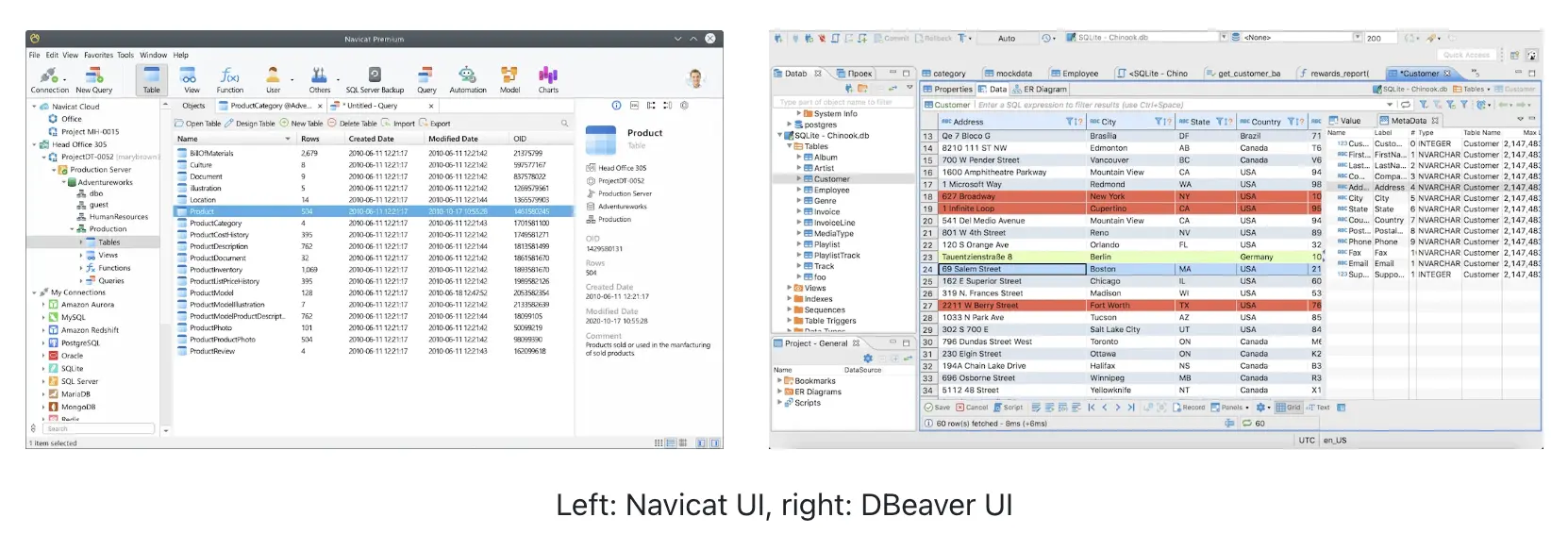
The difference between Navicat and DBeaver lies in their target audience and pricing models: Navicat is designed for commercial users and enterprises (yet they don't provide sufficient database access control, data masking, or centralised control over password for database security), while DBeaver is an open-source tool that caters to a wider range of users, from individual developers to SMEs. This difference is also visible in that Navicat uses a commercial licensing model, while DBeaver has both open-source (free) and commercial products.
DbVisualizer
DbVisualizer supports a long list of databases including MySQL, Postgres, Oracle, ClickHouse, MongoDB, SQLite, to SAP, and more. It is available on Windows, macOS, Linux, and Unix platforms. It comes with a powerful SQL editor with support for auto-completion, visual query builder, SQL formatter, inline data editing, CLI-based interface, and efforts on security including SSH, local password.
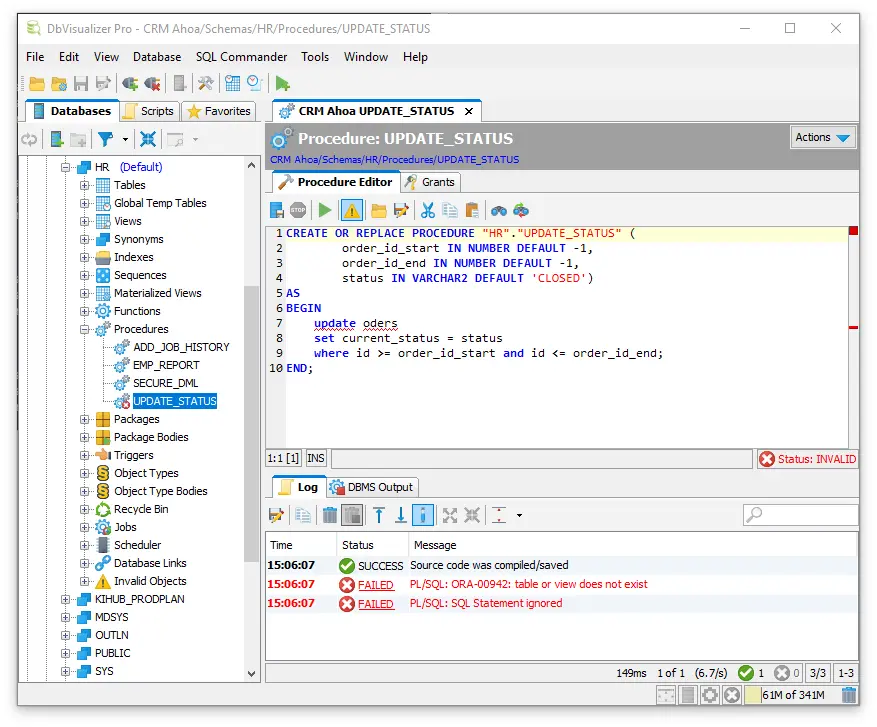
You can use DbVisualizer for free, or unlock all features plus technical support by purchasing a subscription. The subscription is seat-based (the more users, the more seat licenses you will need).
DbVisualizer and DBeaver have similar core functionalities, such as SQL querying, database exploration, object management, and data visualization. But DbVisualizer offers more comprehensive data analysis tools, while DBeaver excels in database administration tasks with a broader range of tools and features for advanced database management.
TablePlus
TablePlus is a modern, lightweight, and intuitive database management tool fit for macOS, Windows, and Linux. It offers an easy-to-use interface for managing various relational and a few NoSQL databases.
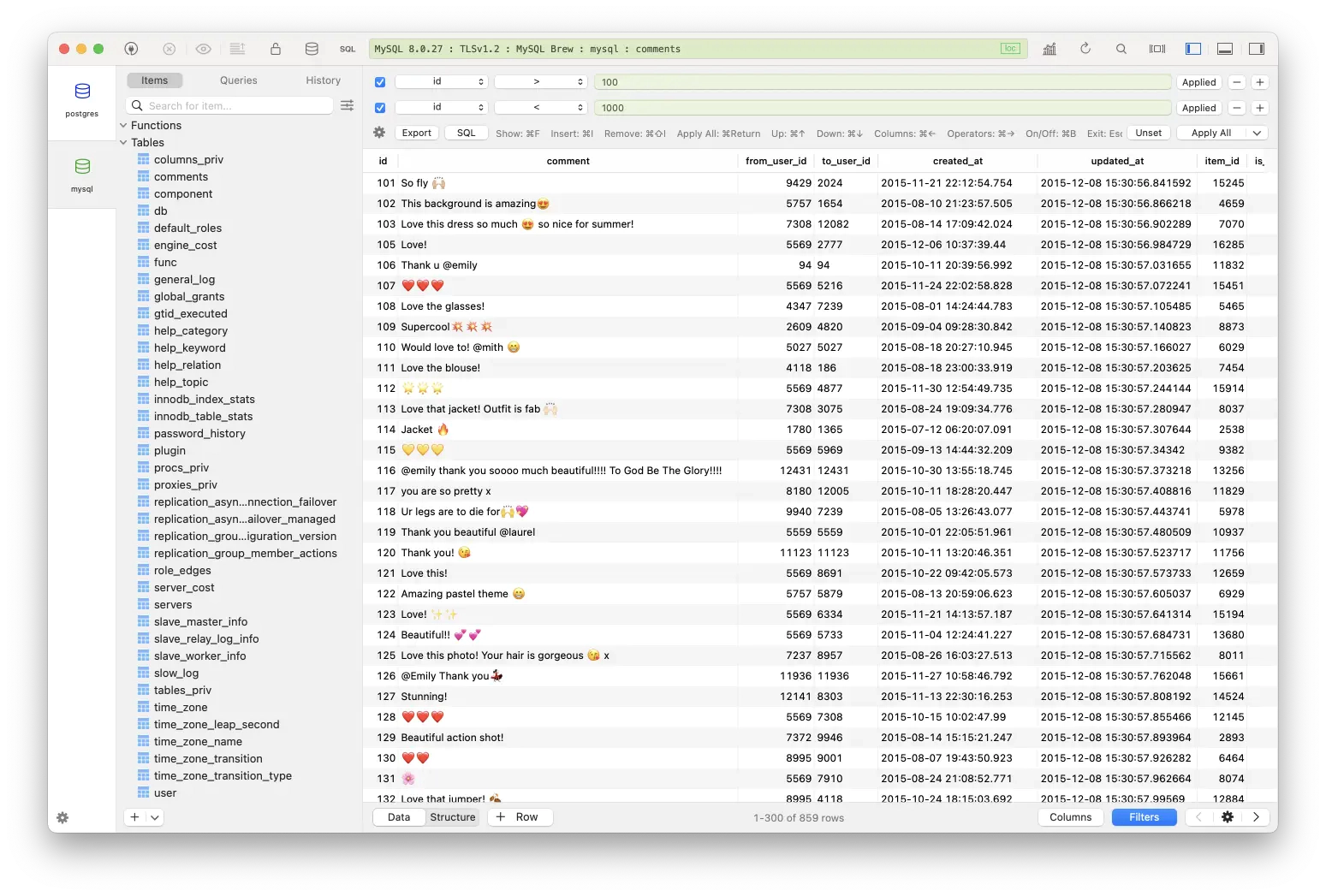
Currently, TablePlus offers two plans: a free tier with no trial time (but only limited features are available) and a paid subscription model that provides extended features.
TablePlus is not open-source, but the team's side product is - DBngin, which can spin up a local database (Postgres, MySQL, or Redis) quite easily on your Mac, it can then be connected to TablePlus to visually manage your local databases. For AI, TablePlus takes the BYOK (bring your own key) route: its LLM plugin does text-to-SQL with the provider you choose, sharing only the table structure, never the data.
Another major difference between TablePlus and DBeaver is their target audience: TablePlus is more geared towards individual developers or small teams who seek a handy database management tool. In comparison, DBeaver targets a wider range of users with more database support and additional advanced features, from individual developers, to DBAs, and enterprises.
DataGrip
DataGrip is a database IDE developed by JetBrains (the company behind popular IDEs like IntelliJ IDEA and PhpStorm) for developers and DBAs.
DataGrip excels in providing a feature-rich, user-friendly, and powerful IDE for database development and administration. Other than the list of relational and NoSQL databases it supports, DataGrip includes an intelligent SQL editor, data compare to view schema diff, along with VCS support for GitHub.
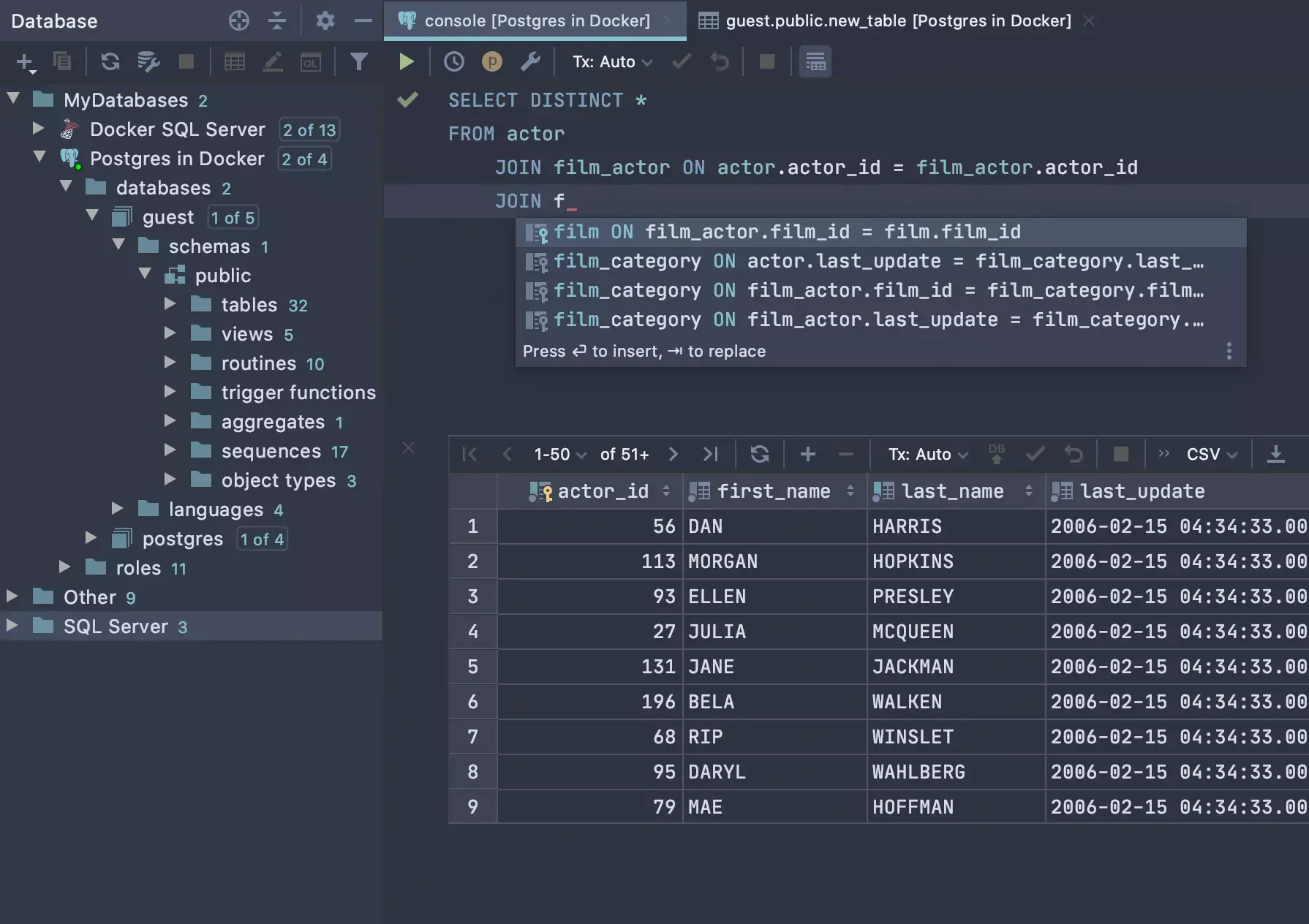
It is not open-source and operates on a commercial licensing model, requiring a paid license for usage, but offers a 30-day trial.
DataGrip is part of the JetBrains ecosystem, offering integration with other JetBrains tools, including the JetBrains AI Assistant for query generation and explanation. So it's perfect if you prefer a dedicated IDE with comprehensive database management features.
Beekeeper Studio
Beekeeper Studio is a modern and lightweight SQL client that supports MySQL, Postgres, SQLite, SQL Server, CockroachDB, etc. And it runs on multiple platforms, including Windows, macOS, and Linux.
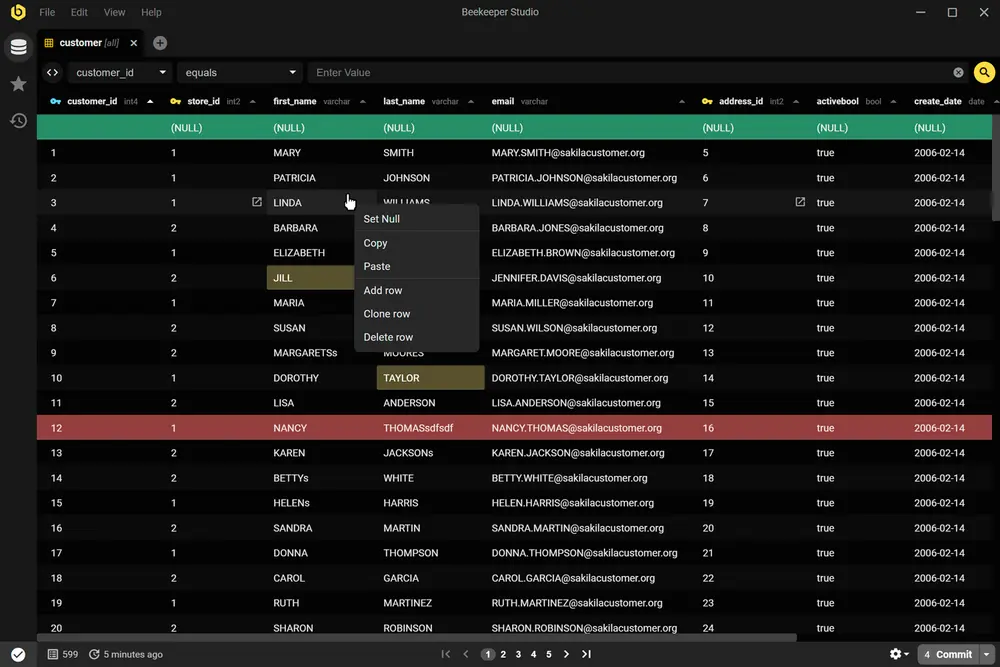
The sleek and minimalistic UI comes from the frustration that other open-source SQL editors and database management tools added so many features that the UI becomes cluttered and hard to navigate. Beekeeper Studio is the answer: simple yet feature-rich with all the necessities, and easy to use.
It has two editions:
- Beekeeper Studio - the full version with all the features, including an AI query assistant in the Ultimate edition.
- Beekeeper Studio Community Edition: the open-source version, and free to use.
PopSQL
PopSQL is shutting down on September 1, 2026. Following its acquisition by Timescale, the product entered limited support mode in September 2025, and the service will be discontinued entirely: saved queries, dashboards, and connections will be deleted. If your team is still on PopSQL, see our top PopSQL alternatives and plan the migration before the deadline.
PopSQL is a web-based collaborative SQL Editor specifically for modern data teams to collaborate on writing, editing, running, and organizing SQL queries efficiently. PopSQL supports connecting to a variety of databases, including MySQL, PostgreSQL, Oracle, SQL Server, SQLite, and others.
Unlike DBeaver or the aforementioned database management tools, PopSQL is not as extensive in database management features, as it focuses specifically on collaborative SQL editing for data teams: shared queries, real-time collaboration, comments, and a data catalog, so a team's SQL doesn't live scattered across personal editors.
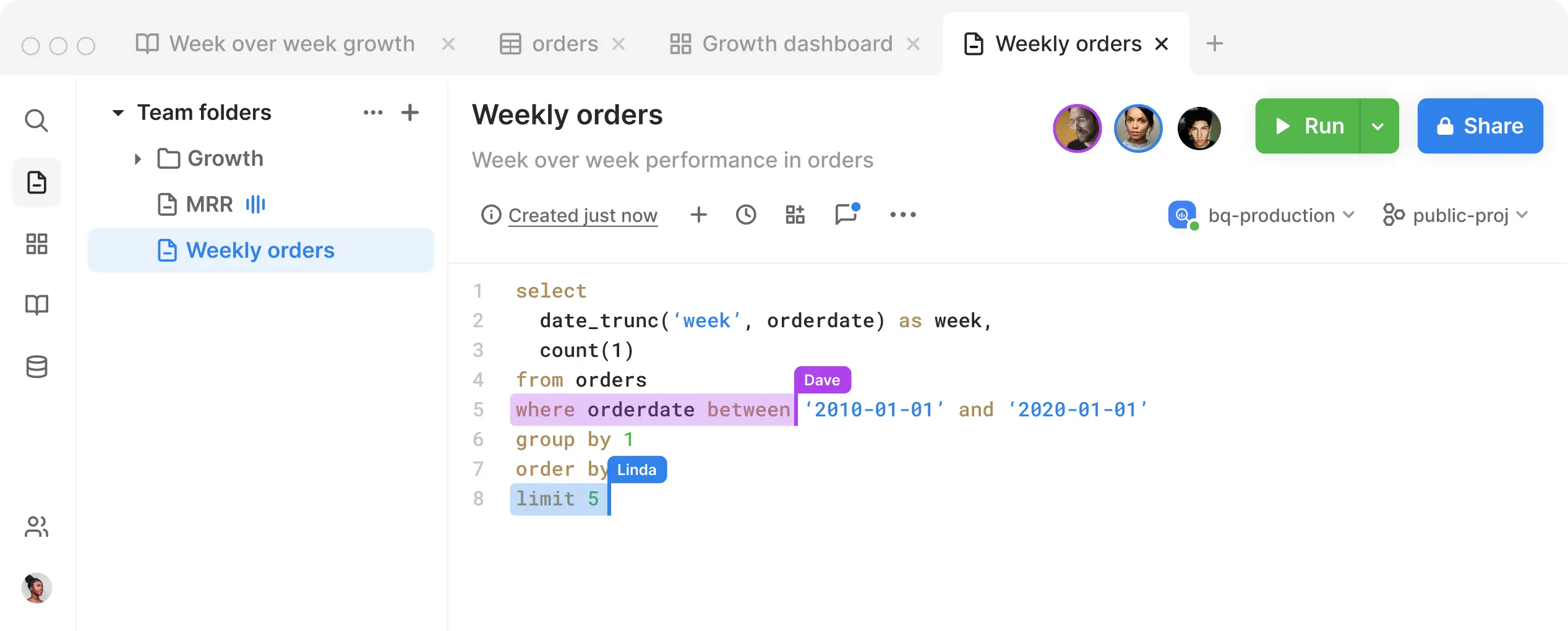
With the shutdown announced for September 1, 2026, PopSQL is no longer an option to adopt. Teams currently on it should be evaluating where to move instead.
Bytebase
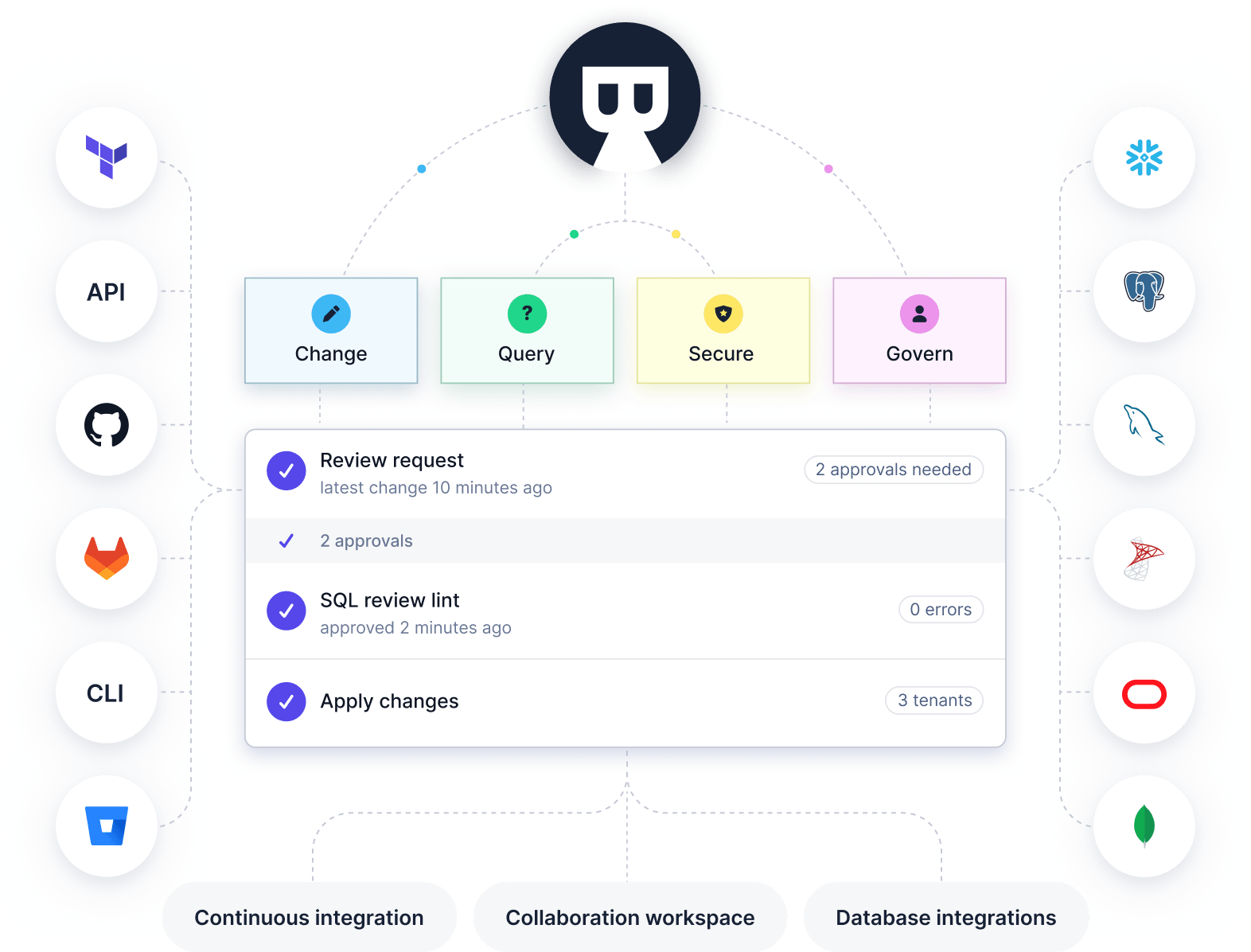
If you have multiple different databases at your organization and are looking for a universal tool that can handle them all while covering database change, query, security, and governance all in one, please check out Bytebase. Aside from the visual SQL Editor integrated with access control and data masking, it also provides a customizable change workflow to fit your data/database change requirements.
Summary
Each tool focuses on a different slice of the problem; the right choice depends on your team and requirements. A summary:
| Open Source | Free version | Paid version | Audience | Strength | |
|---|---|---|---|---|---|
| DBeaver | ✅ | ✅ | ✅ | Individual | Comprehensive features |
| Navicat | ✅ | ✅ | Individual | Comprehensive features | |
| DbVisualizer | ✅ | ✅ | ✅ | Individual | Comprehensive with good visualization |
| TablePlus | ✅ | ✅ | Individual | Native and intuitive interface | |
| DataGrip | ✅ | Individual | Intuitive UX and integration with other JetBrains IDEs | ||
| Beekeeper Studio | ✅ | ✅ | ✅ | Individual | Modern and sleek interface |
| PopSQL | ✅ | ✅ | Data team | Shutting down September 1, 2026 | |
| Bytebase | ✅ | ✅ | ✅ | Entire engineering org for developer, DBA and data team | Centralized access control, data masking, change review workflow |