Postgres has its own identity: JSONB, arrays, custom types, extensions, advanced indexing. Generic database tools get close, but never quite right.
A dedicated Postgres editor treats these features as first-class citizens rather than hiding them behind a lowest-common-denominator abstraction. That focus reduces friction and improves precision. If you want a multi-database client instead (DBeaver, DataGrip, TablePlus, and friends), see our Postgres GUI clients guide; this post covers the editors built only for Postgres.
Each of the three below is built for a different type of user, so the question is less "which is best" and more "which fits how you work."
pgAdmin: The Official Postgres Standard
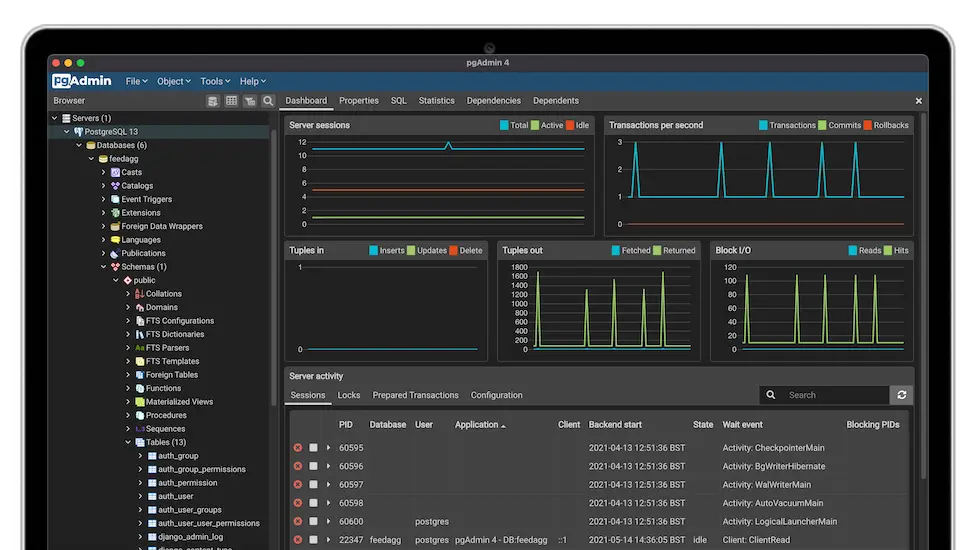
pgAdmin is the official, open-source administrative interface for Postgres. The latest major version (pgAdmin 4) is a Python/Flask web application with a React frontend, available in desktop mode (a standalone app) and server mode (multi-user, browser-based). Docker images are also available.
It covers the full spectrum: database, schema, role, extension, and backup management, plus a PL/pgSQL debugger, schema diff, ERD editor, and an embedded psql terminal. The query tool includes graphical EXPLAIN/EXPLAIN ANALYZE and an AI assistant (which needs an external AI provider) for turning natural language into SQL.
Where pgAdmin pulls ahead is administration: pgAgent job scheduling, backup/restore via pg_dump, and server activity monitoring. The tradeoff is weight. Startup is not instant, and the interface can feel dense if you mainly write queries and don't manage the server.
Best suited for DBAs, platform engineers, and teams that need complete visibility into their Postgres environments. If you manage infrastructure, it is hard to replace.
Postico 2: A Polished macOS Experience
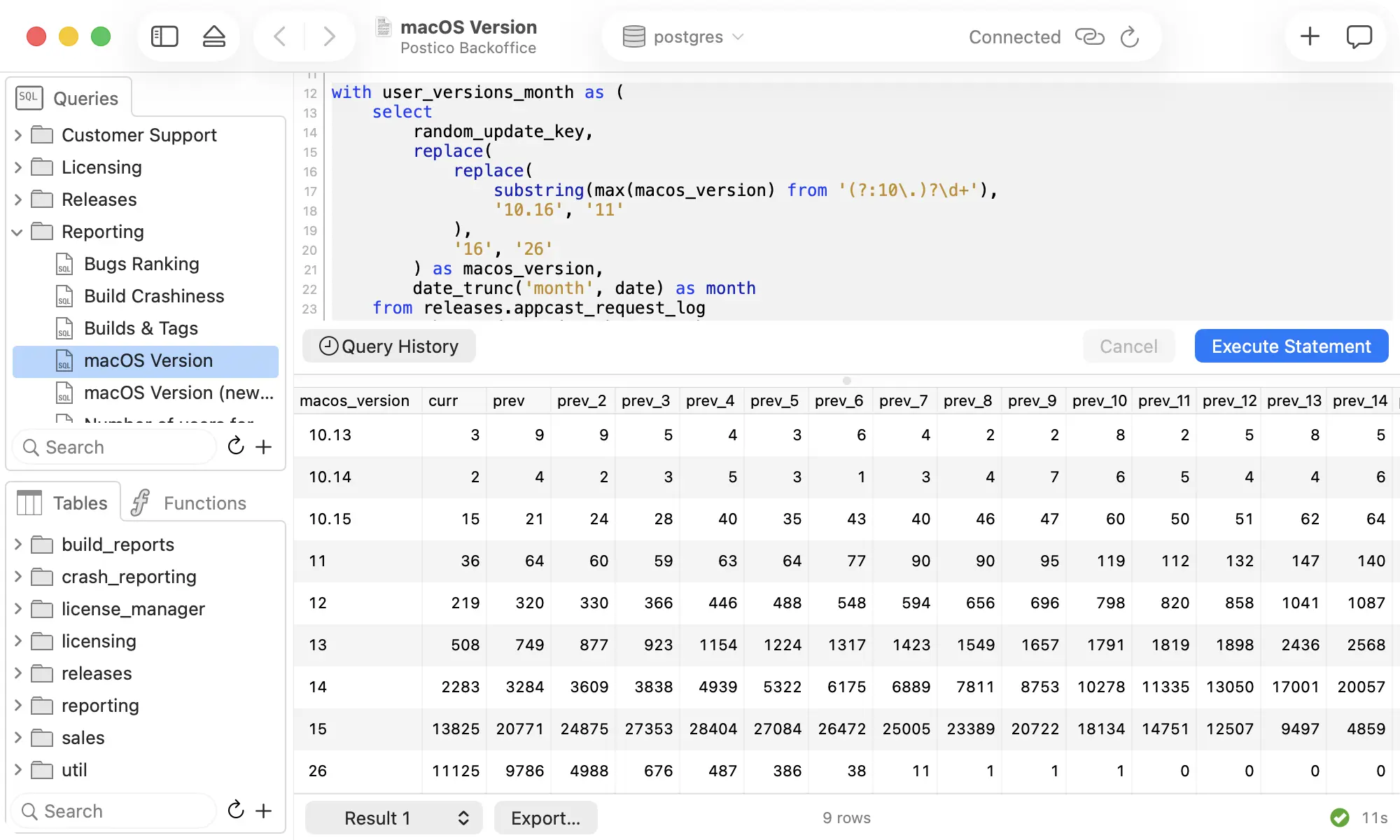
Postico 2 is a macOS-native Postgres client built with Apple frameworks. It syncs connections through iCloud and feels like a first-party Mac application rather than a cross-platform port.
The SQL editor supports multi-file organization with autosave and pgFormatter. Editing data takes very little SQL: there is inline editing, a row detail sidebar, a foreign key picker, and popup menus for enums and booleans. Enum columns get proper dropdowns, and JSONB is editable with pretty-print, though filtering on JSONB still means writing the SQL yourself.
Postico leans toward development over administration, and it is deliberate about it. There is no backup/restore, no role management, no visual EXPLAIN, no monitoring, and no AI assistant. Keeping the scope narrow is how it stays clean and approachable.
macOS only (it requires macOS 14+), sold as a one-time purchase starting at $69, with a free evaluation that has no time limit. A good fit for developers and analysts who work on a Mac and care about how a tool feels.
pgconsole: Minimal Postgres Editor for Speed and Collaboration
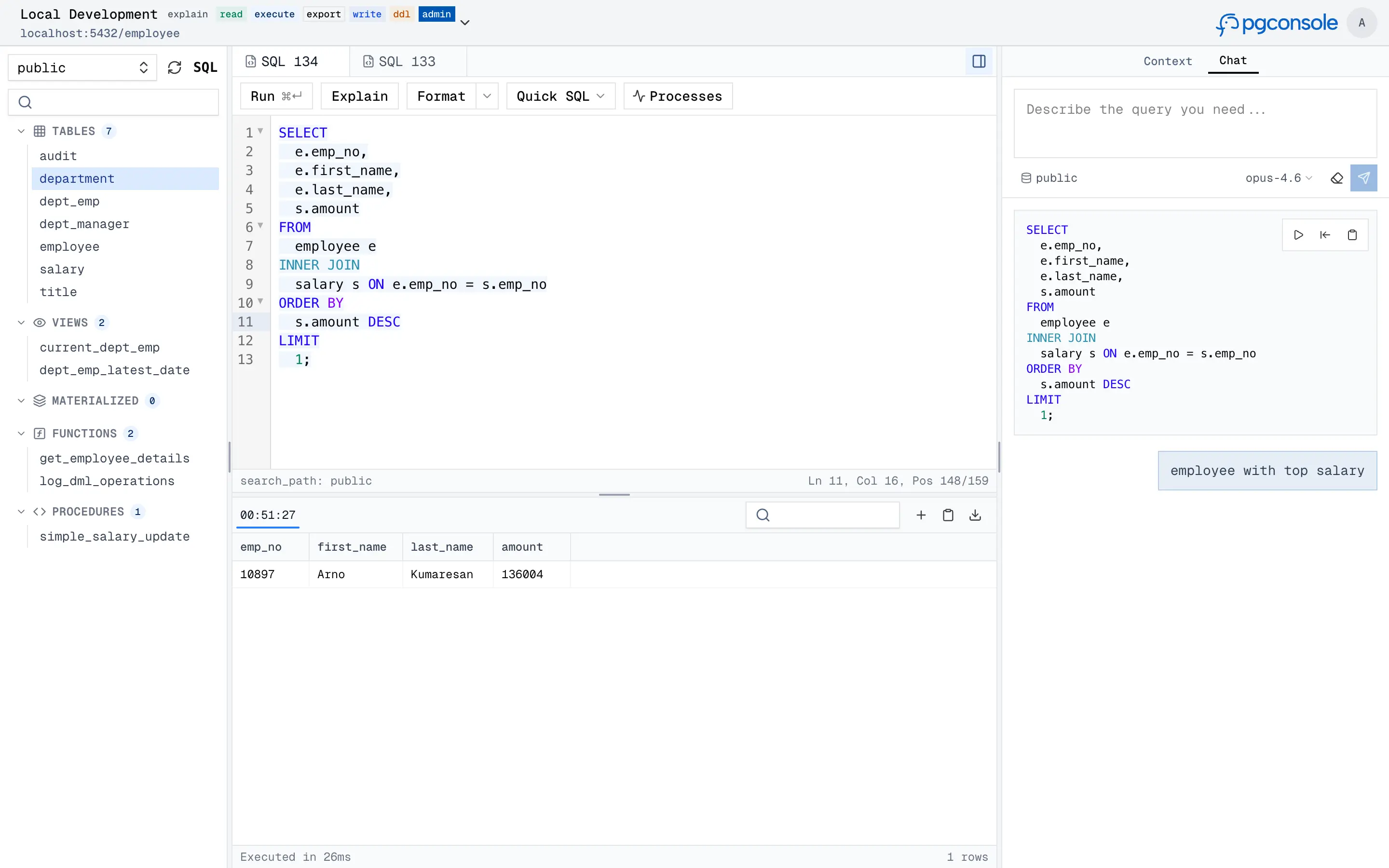
pgconsole is a self-hosted PostgreSQL editor with built-in access control, audit logging, and AI assistance, all from a single binary and a TOML config.
Startup is fast, the layout stays out of your way, and the workflow centers on writing and running SQL. You get schema browsing, connection management, and a built-in AI assistant that handles natural language to SQL, query explanation, error fixing, and change risk assessment. You bring your own AI provider, so your data stays inside your own infrastructure.
Advanced role management, backup workflows, and server configuration are outside its scope. Best for teams and engineers who want a focused, fast Postgres editor for day-to-day development.
Choosing the Right Postgres Editor
| Feature | pgAdmin | Postico 2 | pgconsole |
|---|---|---|---|
| Platform | Windows, macOS, Linux, Web | macOS only | Web (Self-Hosted) |
| Pricing | Free & Open Source | Commercial (Paid License) | Free & Paid Tiers |
| UI Philosophy | Comprehensive, feature-dense | Minimalist, native, user friendly | Modern, web based, fast |
| AI Assistant | Yes (requires external AI provider) | No | Yes (bring your own AI provider) |
| Key Differentiator | The de facto standard, all in one tool | Polished native Mac UX | Team-based access control, GitOps, AI |
| Target Audience | All PostgreSQL users, especially DBAs | Mac users who value design | Teams, modern developers, product integrators |
These three barely overlap, which makes the choice easier than it looks. If you manage infrastructure, pgAdmin is difficult to replace. If you develop on macOS and care about how the tool feels, Postico 2 will feel natural. If you want a fast, focused query tool with AI and team features, pgconsole keeps things simple. Trying the two that look closest to your workflow is usually enough to settle it.
When Postgres is your main database, using a tool built specifically for it makes everyday work clearer and more efficient.