CloudBeaver is a web-based SQL client. Bytebase is a database governance platform.
CloudBeaver and Bytebase both run on a server and open in a browser, and that is where the similarity ends. CloudBeaver is the web-native sibling of DBeaver: a SQL client your team shares through a browser instead of installing desktop software. Bytebase is a database governance platform built around change review, access control, data masking, and audit logging. If you want a shared web GUI for everyday querying and editing, CloudBeaver fits. If you need review workflows, granular permissions, masking, and audit trails, that's Bytebase.
What Bytebase and CloudBeaver have in common
- Server-side, web-based GUI for query, browse, export, and edit.
- Self-hosted, with free and paid tiers.
- Marketplace listings (AWS and GCP) for procurement.
- Support for a range of SQL and NoSQL databases.
- An AI assistant for writing SQL, and an MCP server so external AI clients can work through the platform instead of holding database credentials.
- Open source. CloudBeaver started in 2020 and has about 5.2k GitHub stars; Bytebase started in 2021 and has about 14.5k (September 2026).
Key Differences Between Bytebase and CloudBeaver
Bytebase governs both how databases change and who can access them. Changes go through SQL review and a tracked rollout; queries run under each user's own permissions, masking, and time-boxed grants; both end up in one audit log. CloudBeaver is built around shared data access: one browser-based client the team logs into, with connection-level team permissions and, on Enterprise, a query log and an audit panel.
| CloudBeaver | Bytebase | |
|---|---|---|
| Product position | Web-based SQL client (DBeaver's web sibling) | Database governance platform |
| Developer interface | Server-side, web-based | Server-side, web-based, plus API, Terraform, and GitOps |
| Installation | Java server, usually run with Docker | Single Go binary or Docker image; external PostgreSQL for production |
| Supported databases | Wide JDBC coverage; Enterprise adds NoSQL and cloud drivers | 25 engines |
| Query | ✅ | ✅ |
| Change | Direct | Plan with SQL review and rollout; Admin mode for break-glass |
| SQL review rules | ❌ | ✅ 200+ rules (all plans) |
| Approval flow | ❌ | ✅ Custom approval (Enterprise) |
| Access control | Teams, per-connection access, data-editor permissions (Enterprise) | Workspace/project roles scoped down to tables; just-in-time access (Enterprise) |
| Data masking | ❌ | ✅ Dynamic, column-level (Enterprise) |
| Compare schema | ❌ | ✅ 1:N (all plans) |
| Audit log | Query Manager + audit logging panel (Enterprise) | ✅ Pro (7-day retention), Enterprise (unlimited) |
| AI and MCP | AI Chat; MCP server per connection (Enterprise) | AI Assistant; MCP server with a workspace access policy (all plans) |
| API | GraphQL | gRPC + HTTP/REST + Terraform provider |
| GitOps | Not built in | ✅ GitHub, GitLab, Bitbucket, Azure DevOps |
Product position
-
CloudBeaver: A web SQL client, DBeaver's browser-based sibling. It gives a team one shared GUI for querying, editing, and browsing databases. Shared connections, team permissions, and (on Enterprise) query logging have grown over time, but the center of gravity is still "one SQL client a team can share in a browser."
-
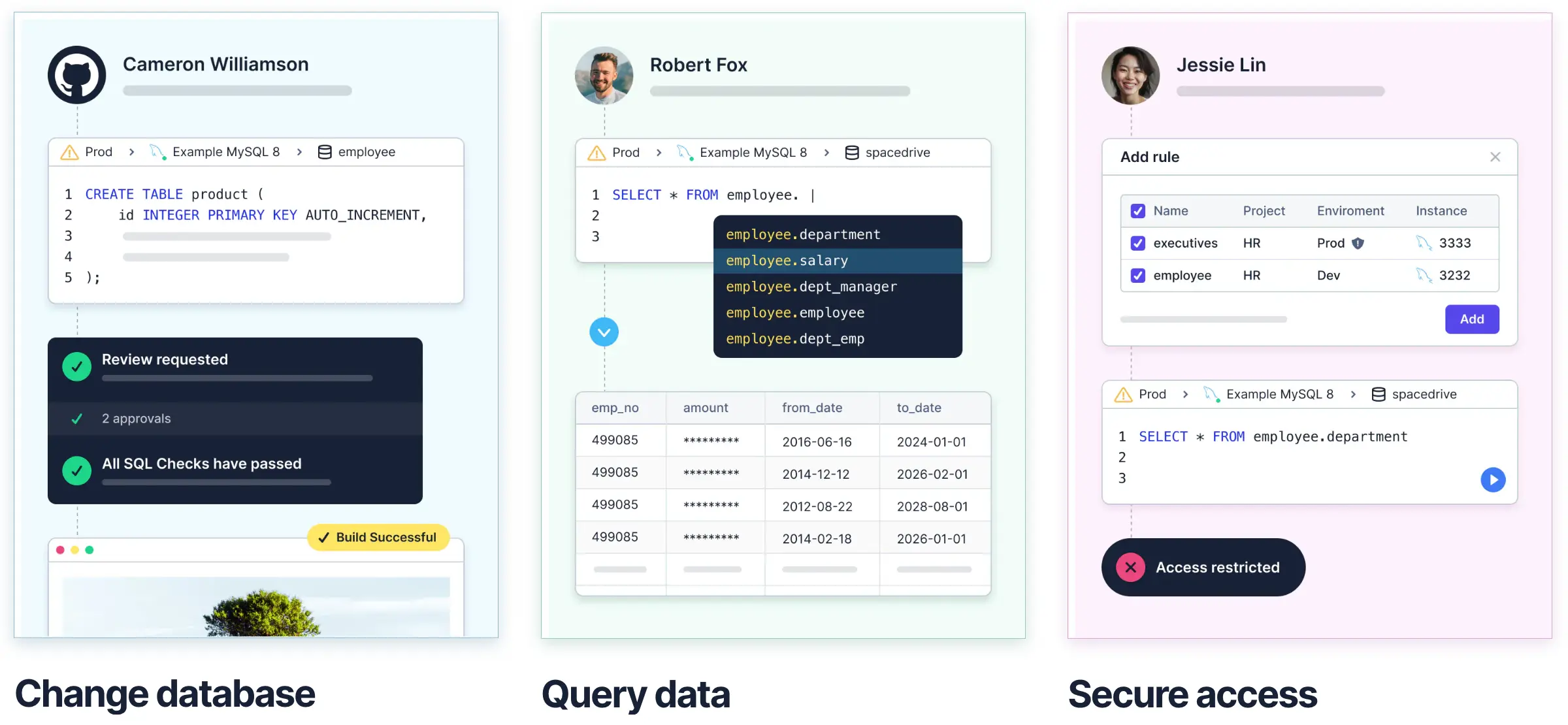
Bytebase: A database governance platform with three parts: change (SQL review, approval, rollout, GitOps), access control (roles, just-in-time access, data masking), and audit. SQL Editor is where access control meets everyday querying; the change workflow is where review meets schema and data changes.
Developer interface
-
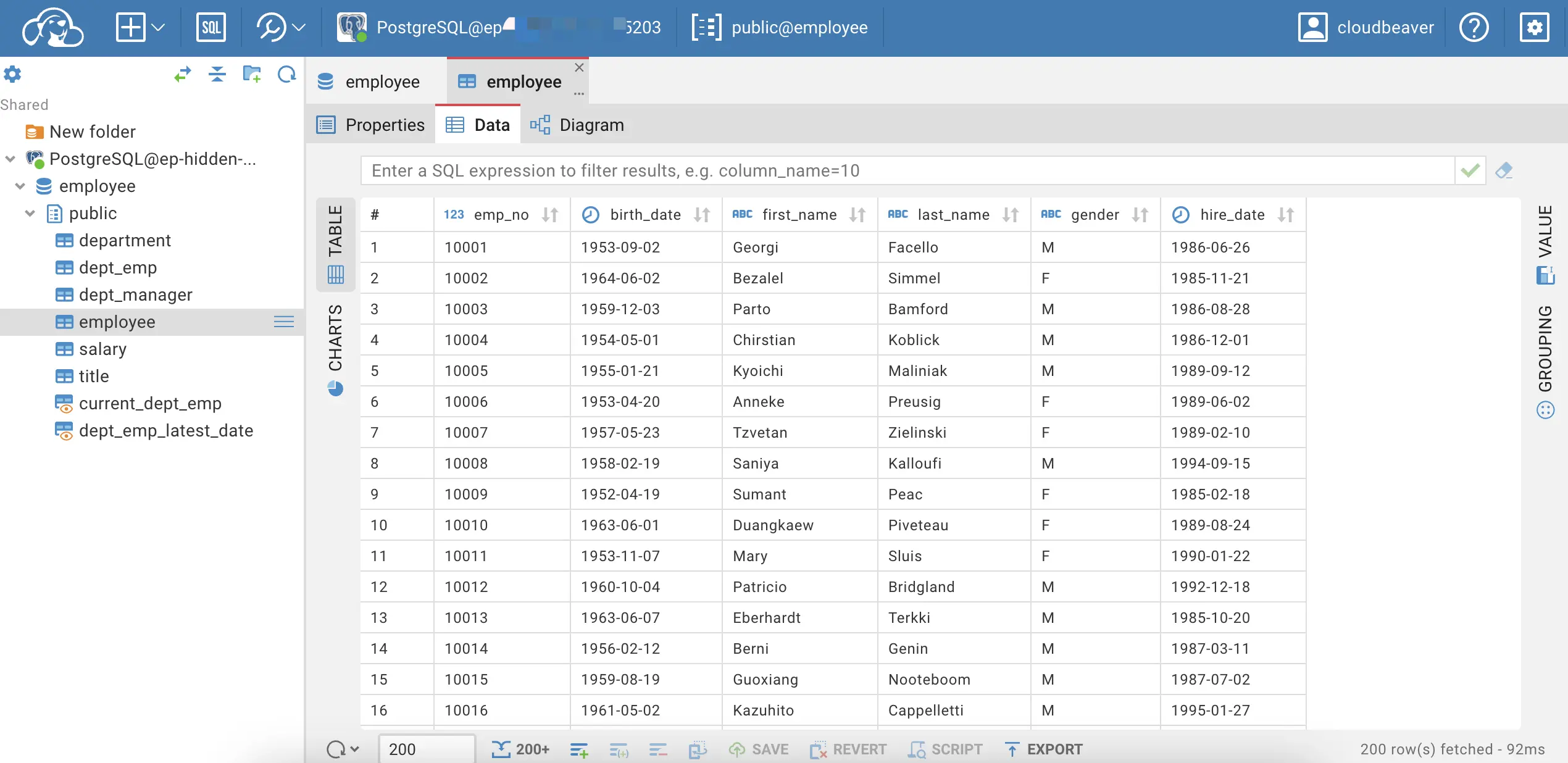
CloudBeaver: Web GUI focused on query, edit, and schema browsing.
-
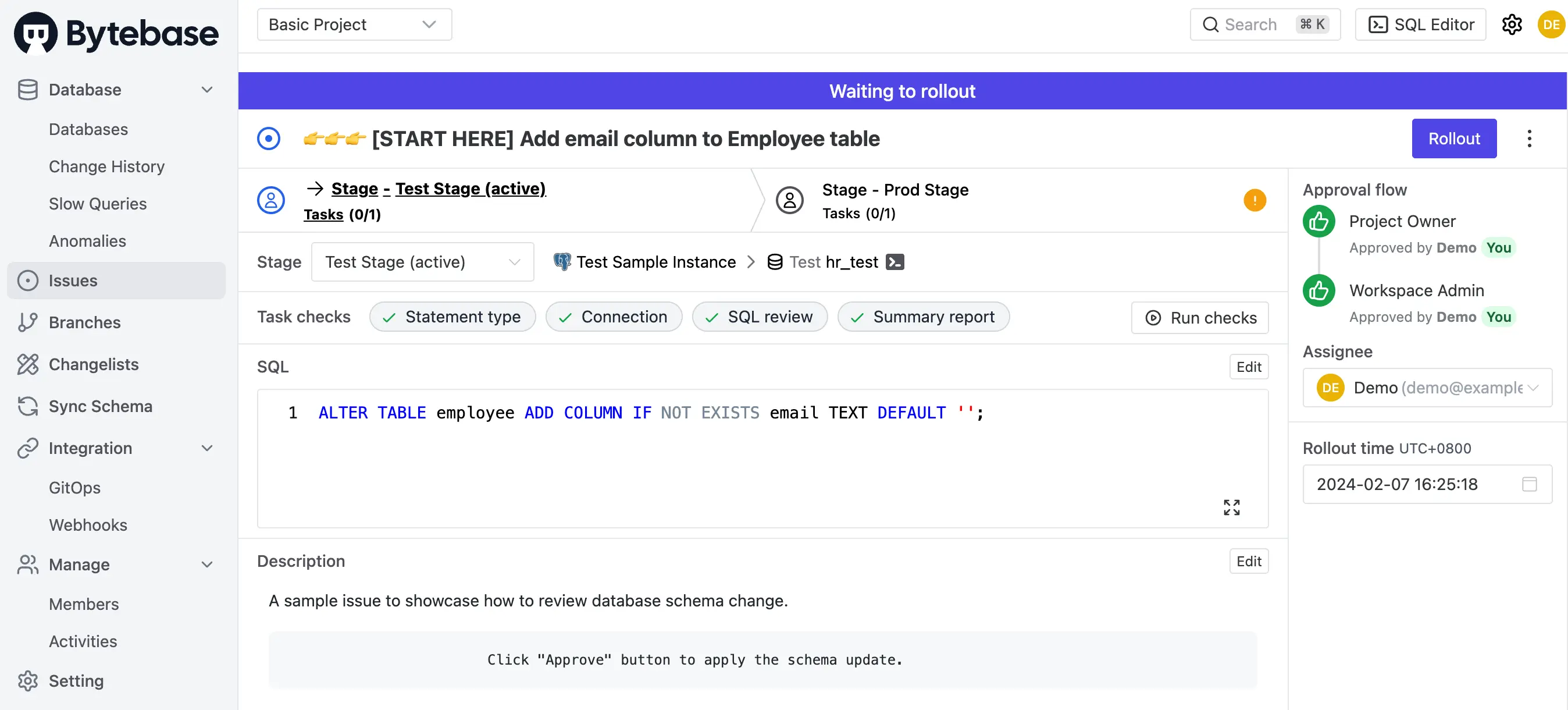
Bytebase: Web GUI with a review-based change workflow plus a SQL Editor for querying. Also exposes an API, a Terraform provider, and GitOps for teams that prefer automation.
Installation
-
CloudBeaver: A Java server application with a React front end. Docker is the documented way to run it; Enterprise also ships as AWS and GCP marketplace images.
-
Bytebase: A single Go binary, also shipped as a Docker image and a Helm chart for Kubernetes. It runs standalone with embedded metadata storage for a trial; for production, point it at an external PostgreSQL, which high availability requires.
Summary: both are a single container to start. CloudBeaver needs nothing else; Bytebase wants its own PostgreSQL once it holds production workflow data.
Supported databases
-
CloudBeaver: Inherits DBeaver's JDBC driver catalog. Common engines (MySQL, PostgreSQL, Oracle, SQL Server, MariaDB, SQLite, ClickHouse, DuckDB, Trino, and more) ship with pre-downloaded drivers, and many more can be added. Enterprise adds NoSQL (MongoDB, Cassandra, Redis) and cloud-native support for AWS, GCP, and Azure.
-
Bytebase: 25 engines: 9 RDBMS (MySQL, PostgreSQL, Oracle, SQL Server, MariaDB, TiDB, OceanBase, CockroachDB, Spanner), 6 NoSQL (MongoDB, Redis, Cassandra, DocumentDB, DynamoDB, Cosmos DB), 9 data warehouses (Snowflake, BigQuery, Redshift, Hive, ClickHouse, Databricks, StarRocks, Doris, Trino), and Elasticsearch. Every engine gets the review-and-rollout change workflow; SQL review rules, schema sync, and masking go deepest on the major relational engines. Check the feature matrix for your engine.
Summary: CloudBeaver goes wider; Bytebase goes deeper on fewer engines.
Query
-
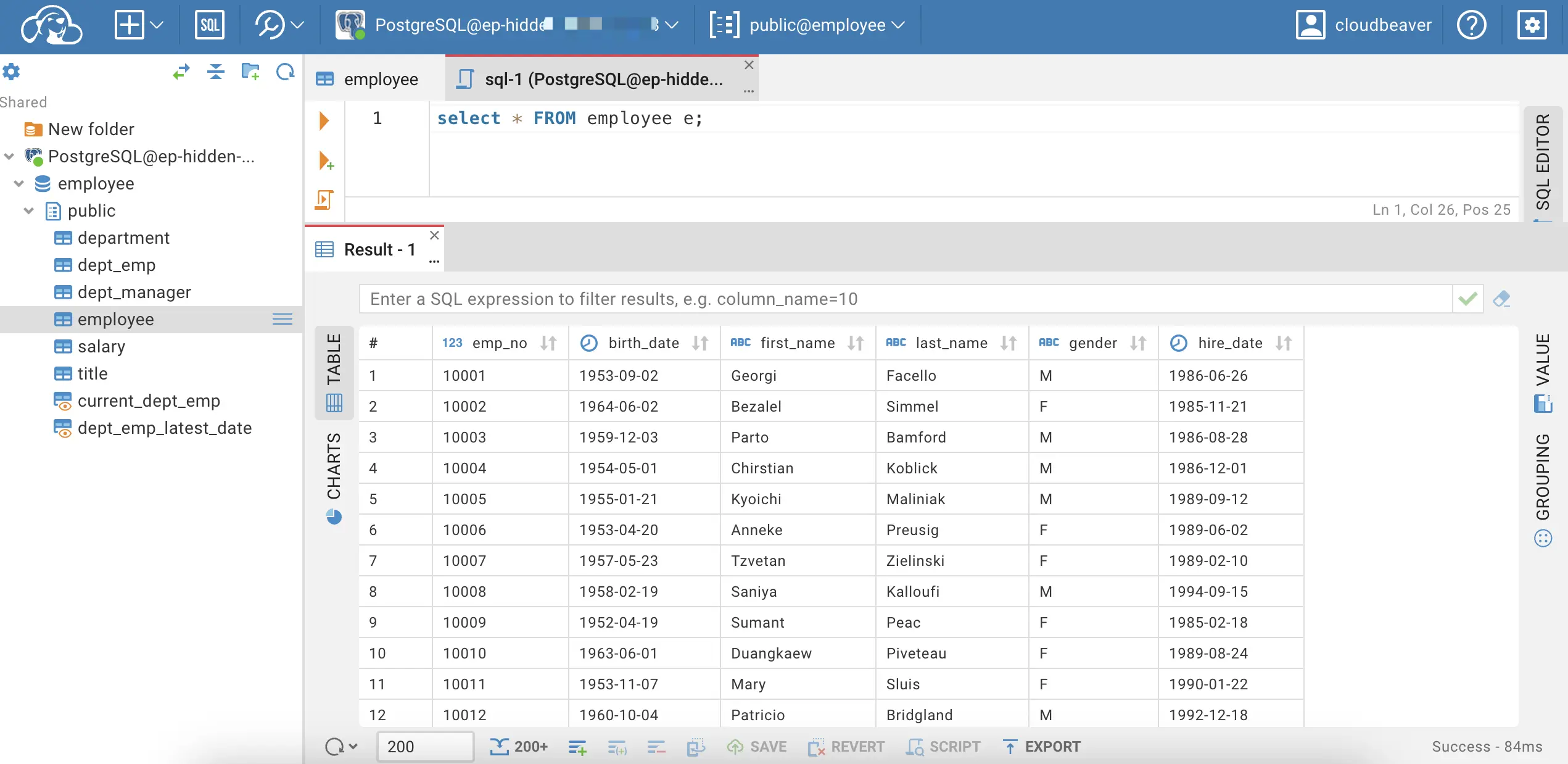
CloudBeaver: Query by double-clicking a table or writing SQL with templates and autocomplete. Enterprise adds a visual query builder.
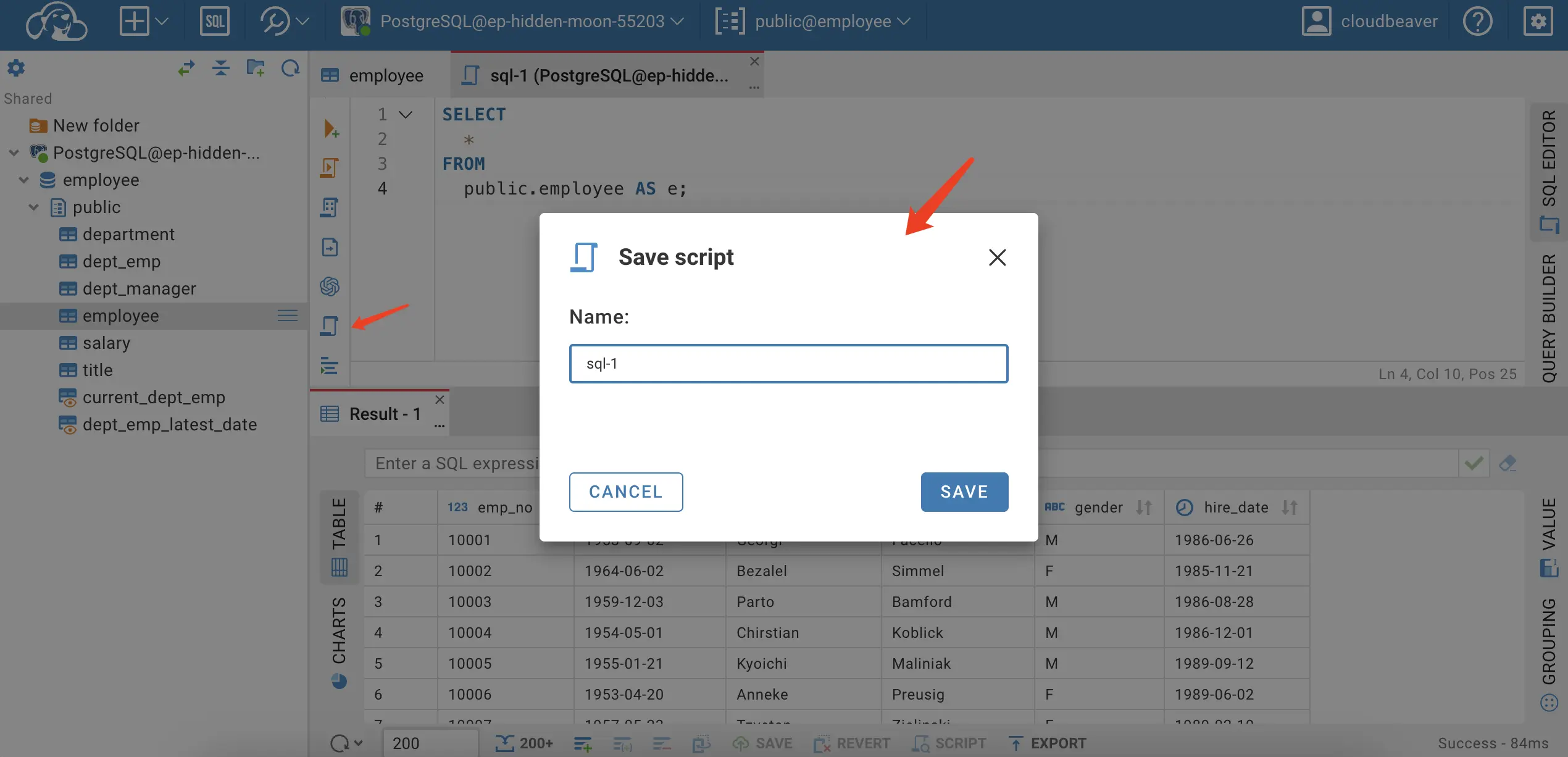
Saved scripts can be shared alongside the connection they belong to.
-
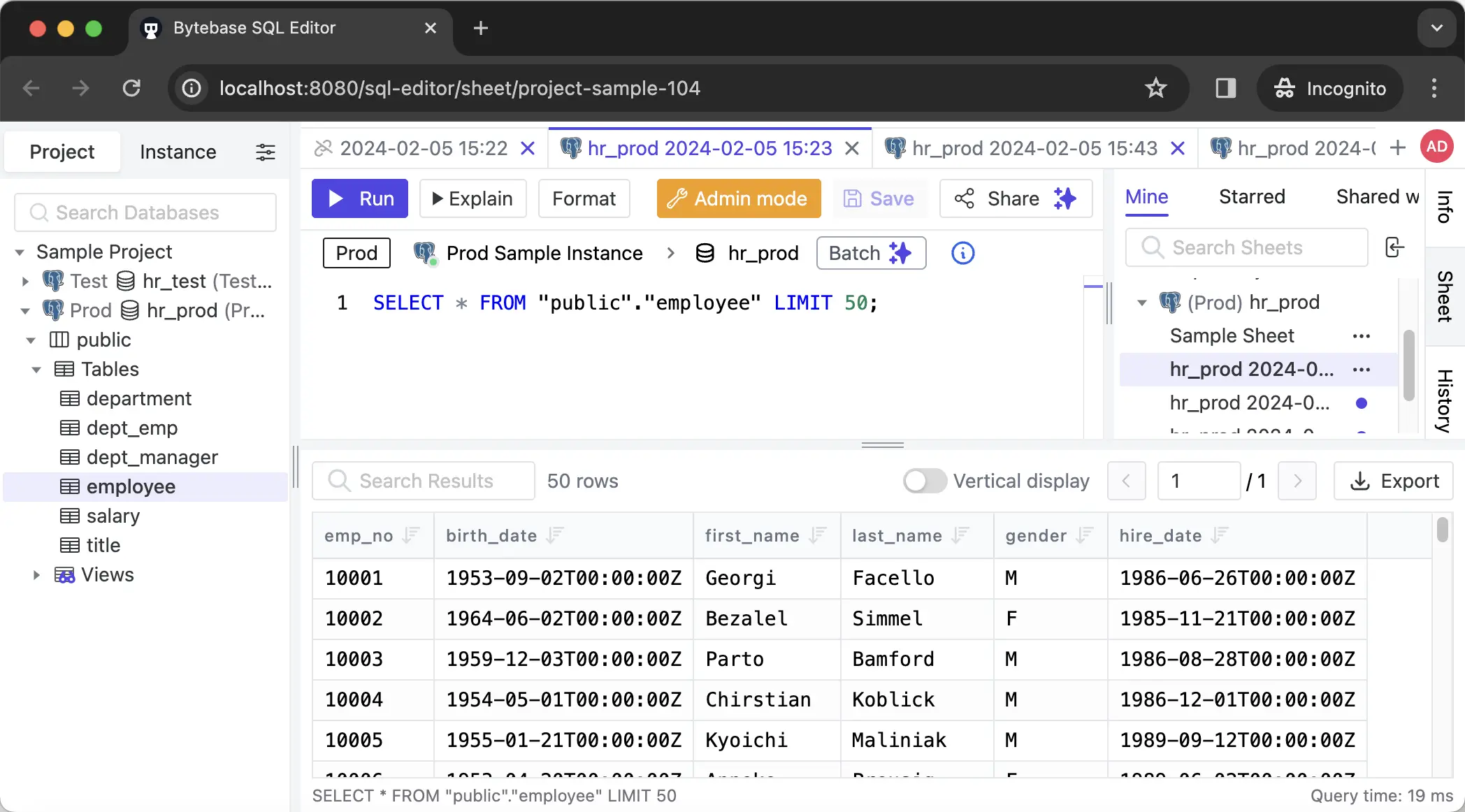
Bytebase: The SQL Editor runs queries through the platform, so the user's permissions apply to every query, and so do masking and the audit log on the plans that include them. Double-click a table or write SQL with autocomplete.
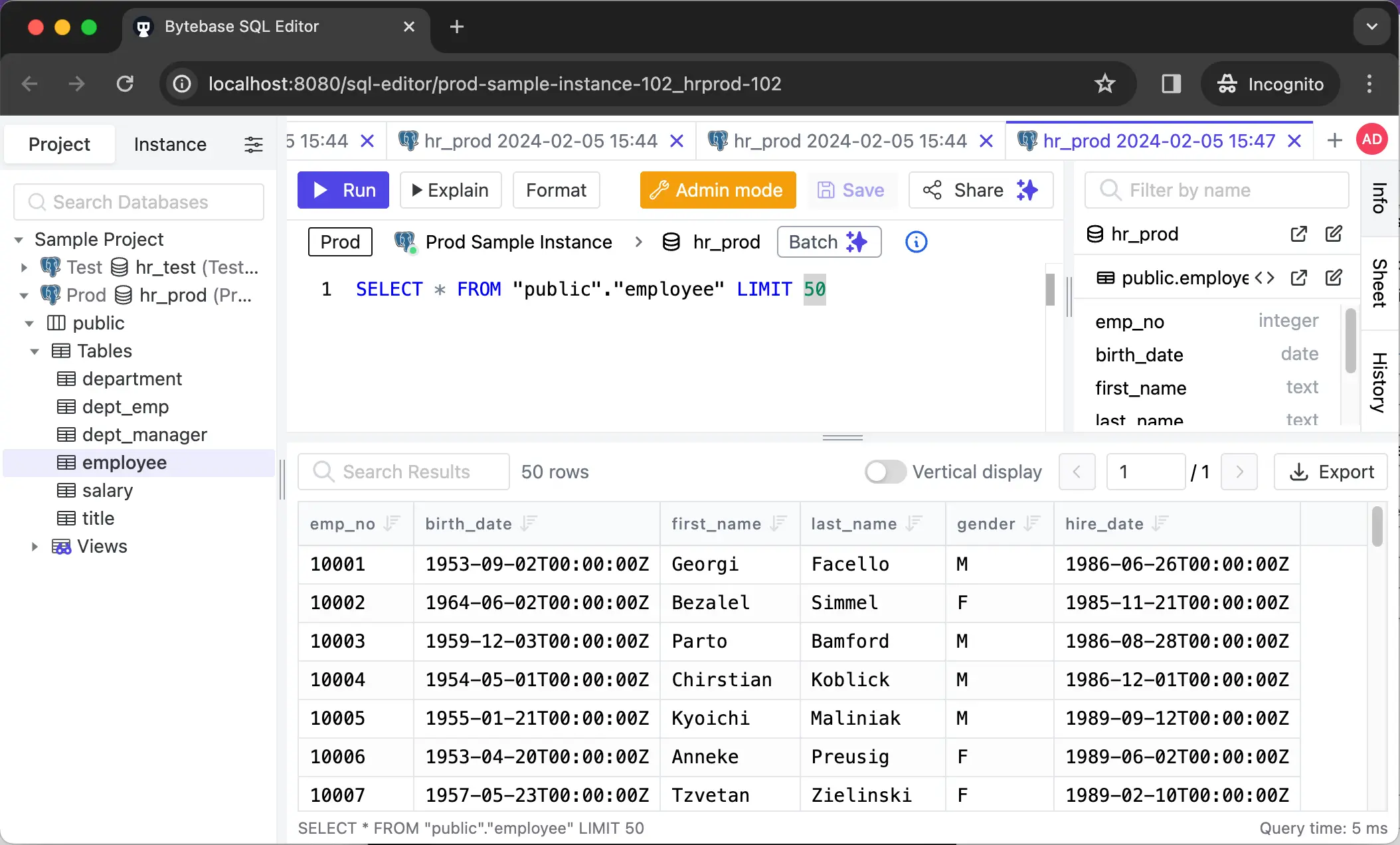
Save or star scripts for quick access. On Pro and above, share scripts with your team or project.
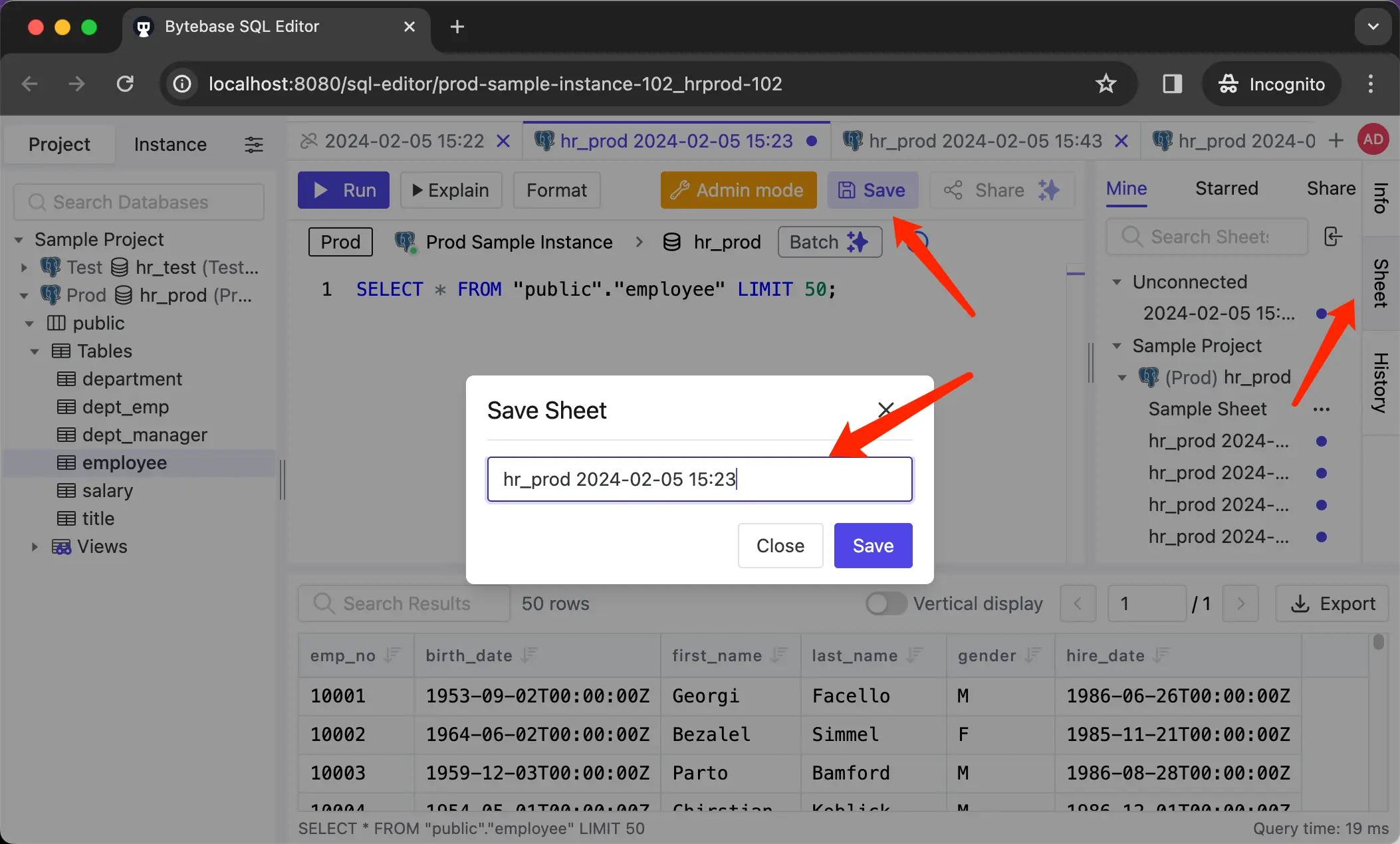
Summary: for day-to-day querying the two are close; the difference is what sits between the query and the database.
Change
-
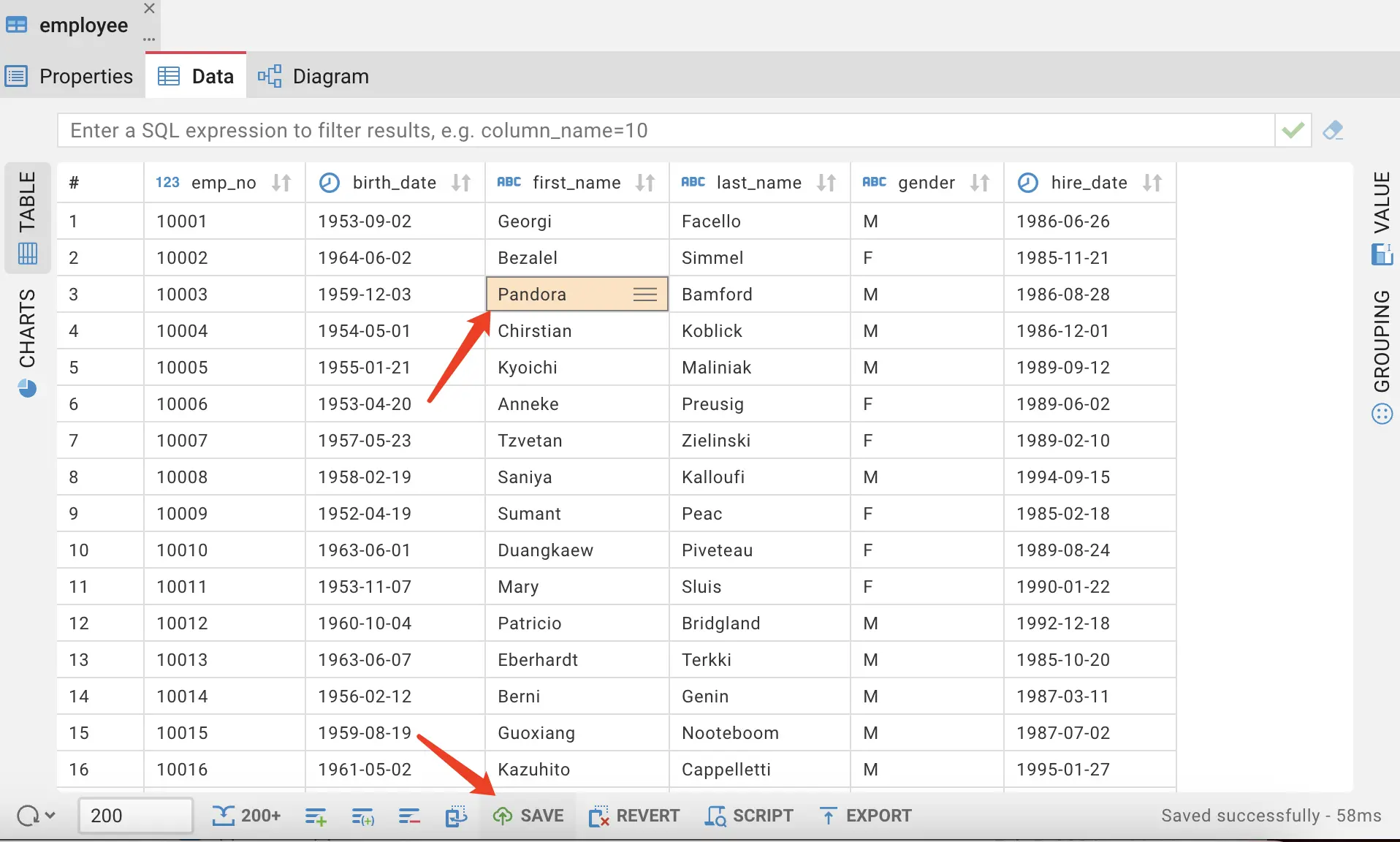
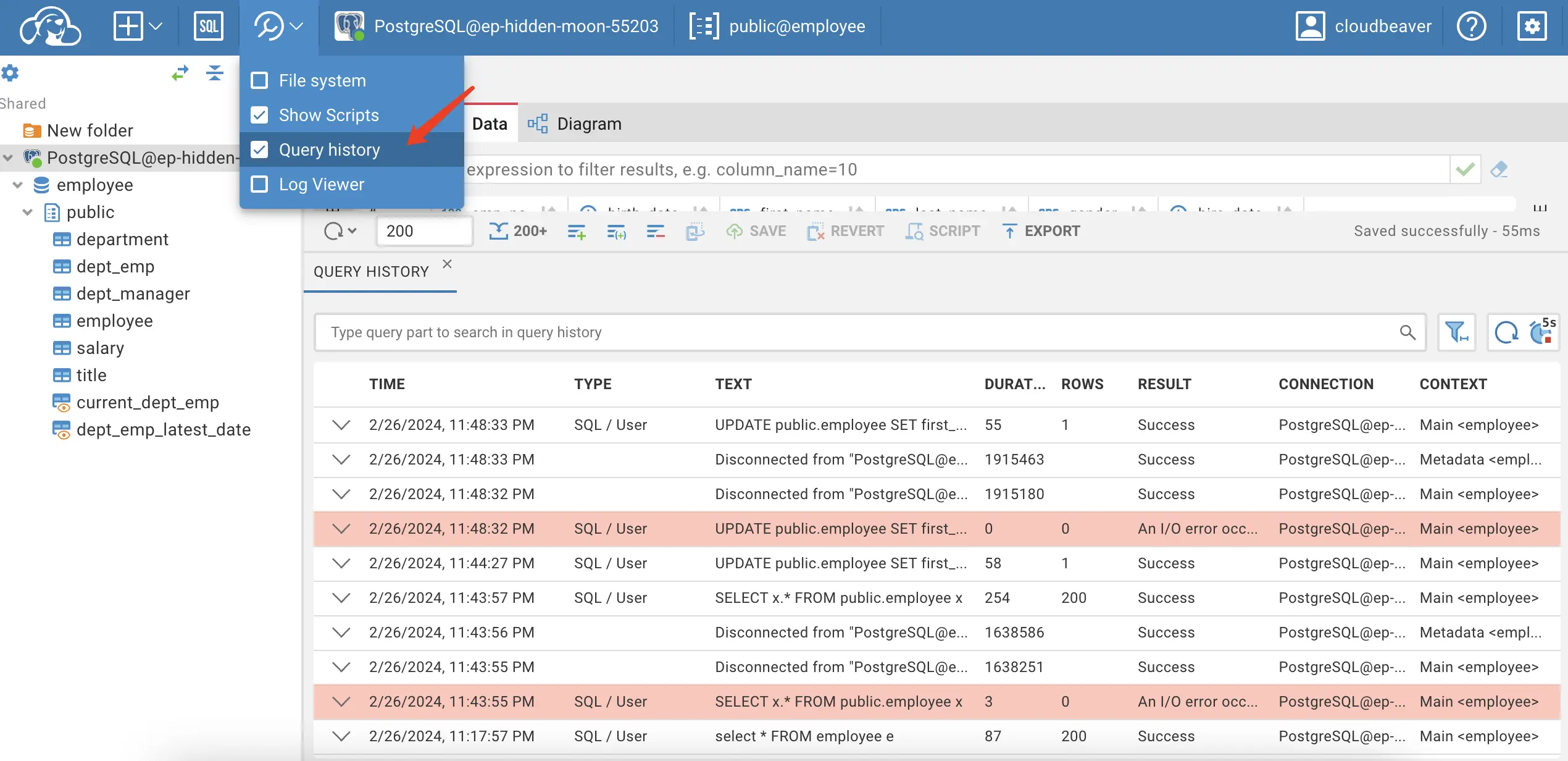
CloudBeaver: Edit data directly in the result grid or run SQL manually. Changes hit the database immediately, with no review or approval step. On Enterprise, Query Manager records what was executed.
-
Bytebase: A change is a Plan, similar to a pull request for the database. The Plan runs automated SQL review (200+ rules) before anything executes, its linked issue goes through a custom approval flow on Enterprise, and a rollout deploys it environment by environment with full history. Admins decide per environment whether direct changes are allowed at all.
Every change is recorded in the changelog with a schema diff, and schema changes on the major relational engines can be rolled back from there. 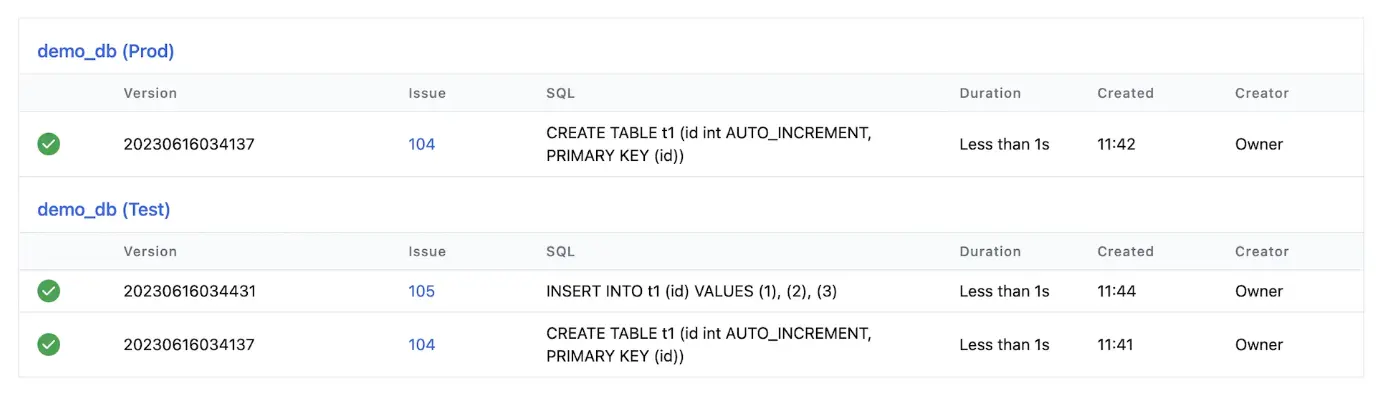
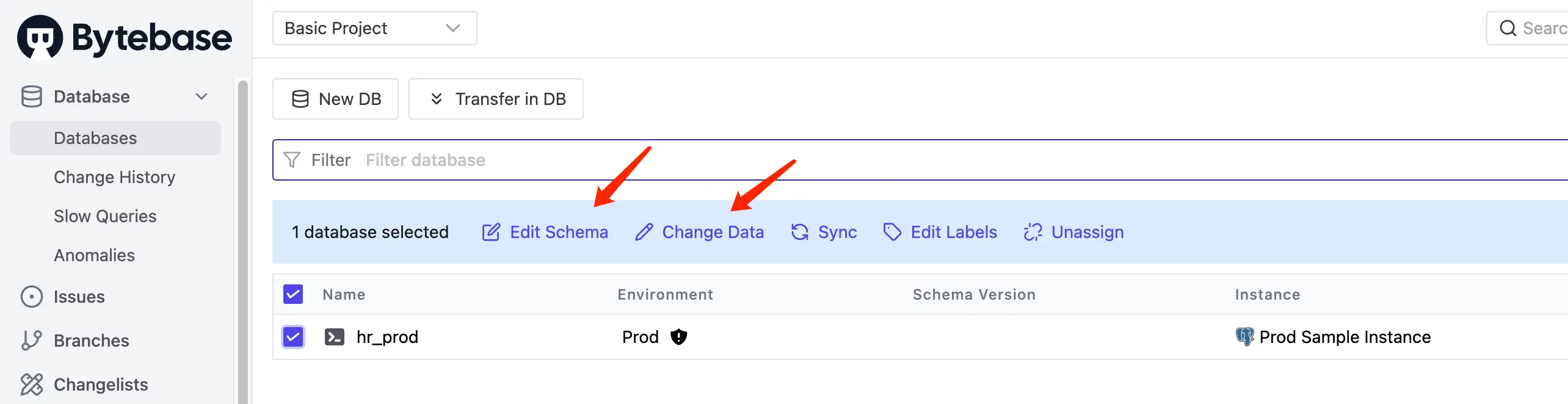
Ad-hoc DDL typed into SQL Editor (e.g. ALTER TABLE) either becomes a new change or needs Admin mode, a deliberate escape hatch for break-glass work, similar to SSH on a server. 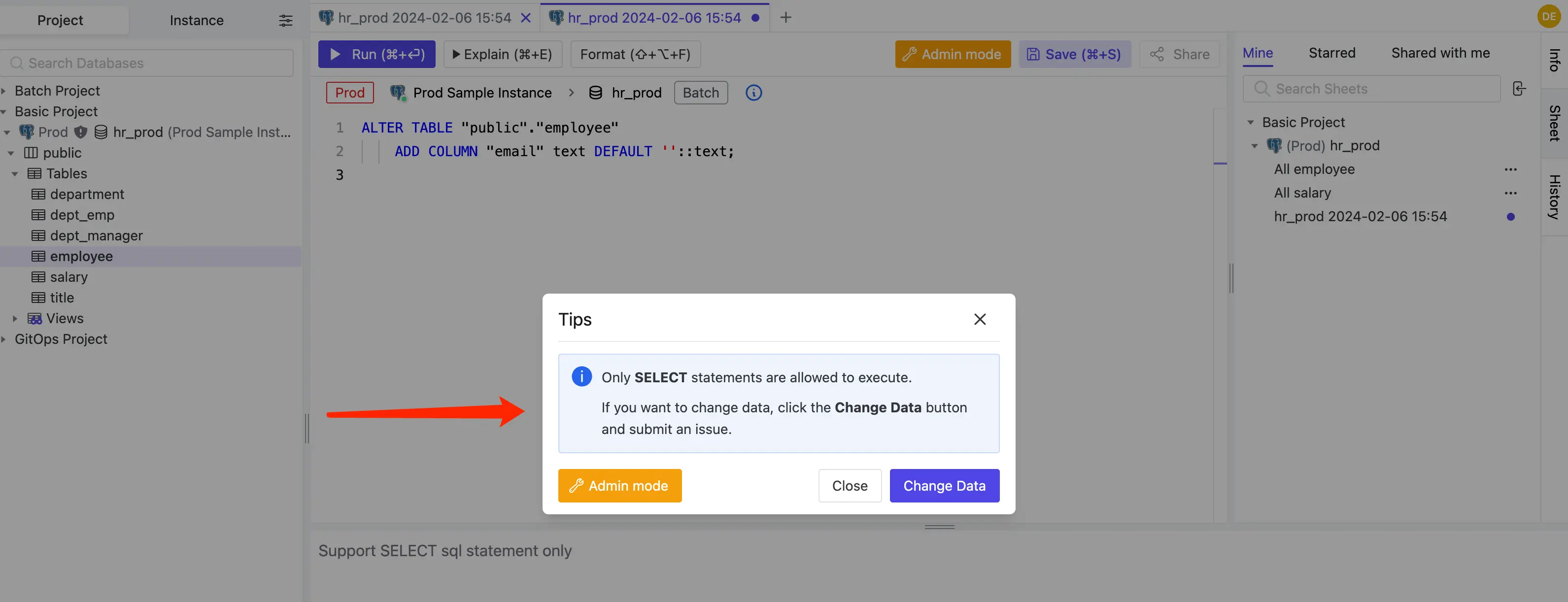
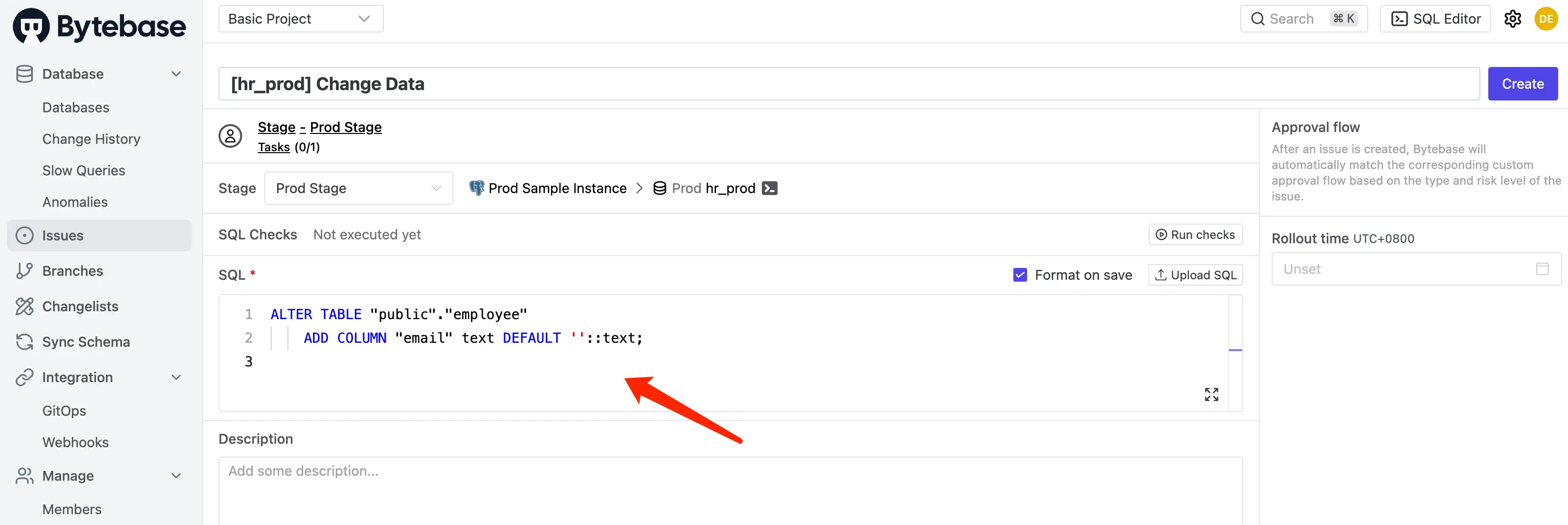
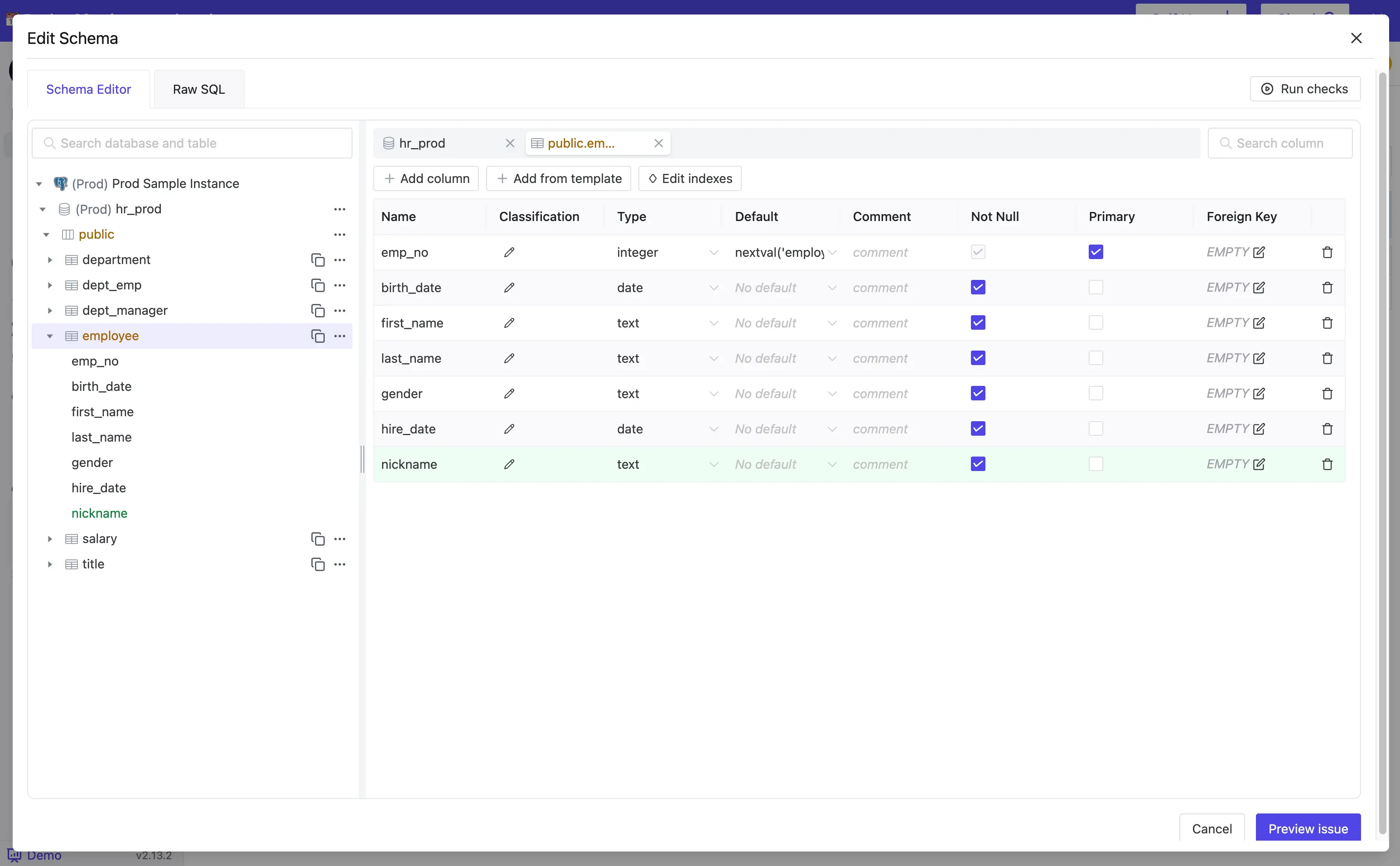
For schema changes, many teams use the visual Schema Editor: edit columns, constraints, and indexes in the GUI and Bytebase generates the DDL.
Summary: CloudBeaver records what happened; Bytebase decides what is allowed to happen before it runs.
Access Control
-
CloudBeaver: Administrators create teams and decide which connections each team or user can see. Teams can map to identity-provider groups. On Enterprise, global and team permissions switch data-viewer actions such as copying, editing, or importing data on or off.
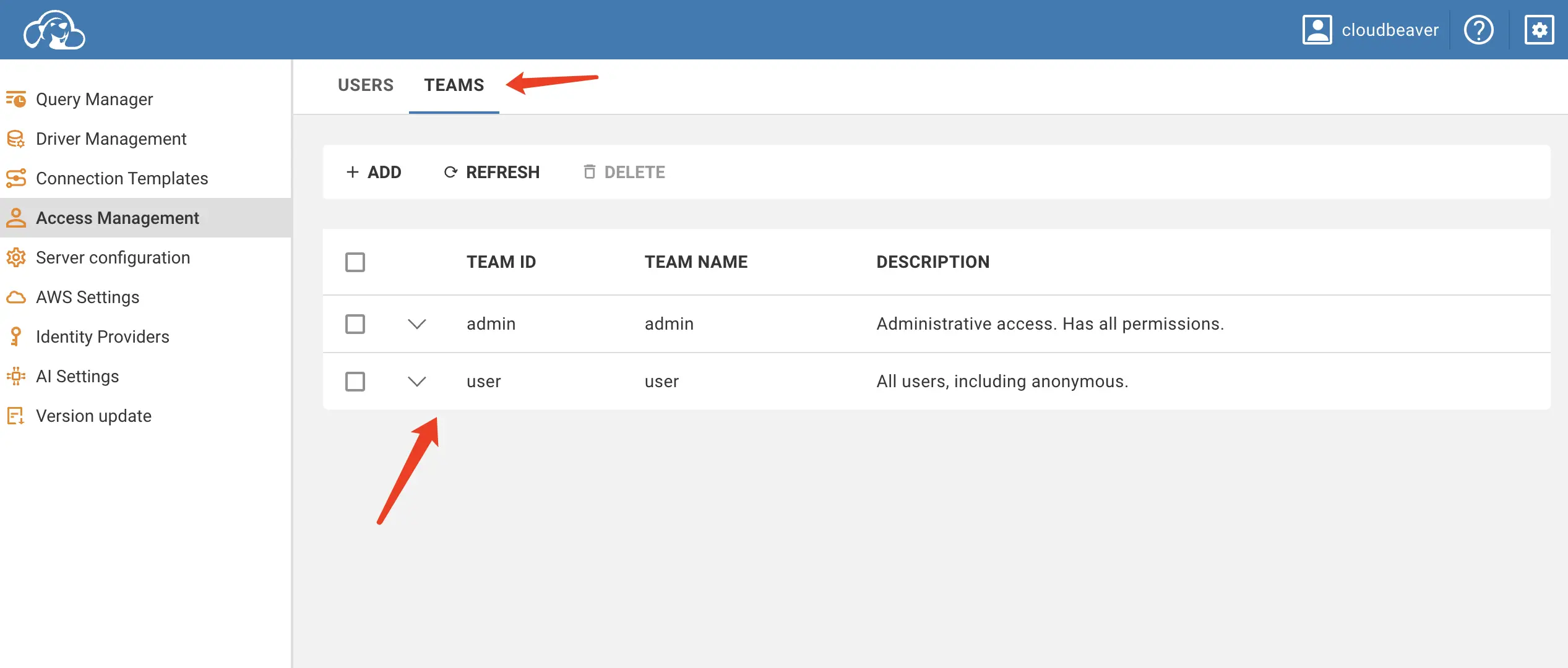
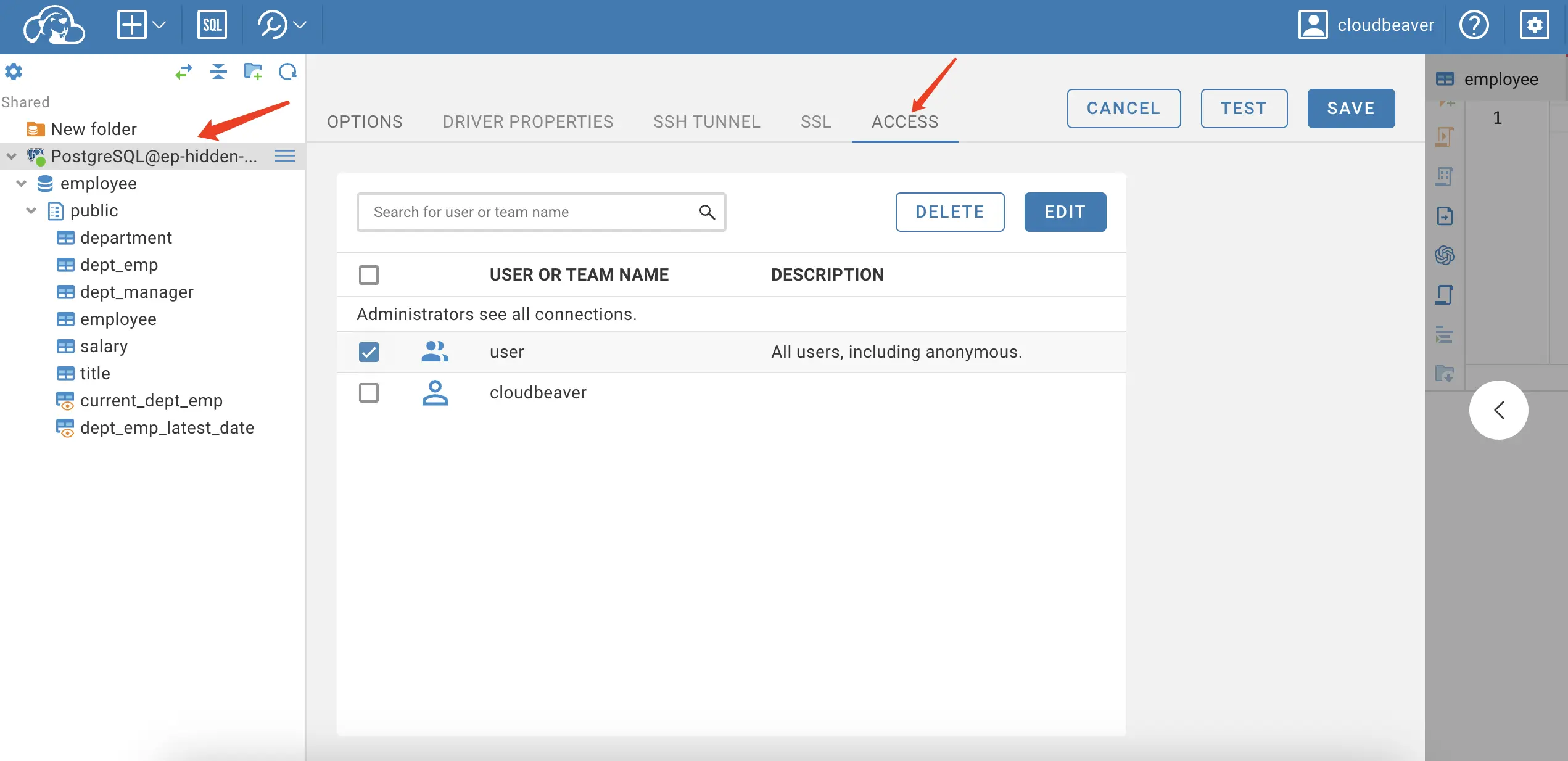
The model is still connection-scoped: if you can open a connection, you can read everything its database user can read.
-
Bytebase: Roles sit at the Workspace and Project levels.
Workspace AdminandWorkspace DBAprovision instances and manage members;Project Ownermanages databases and roles within the project. Members hold project roles such asProject Developer(change databases) orSQL Editor User(query only).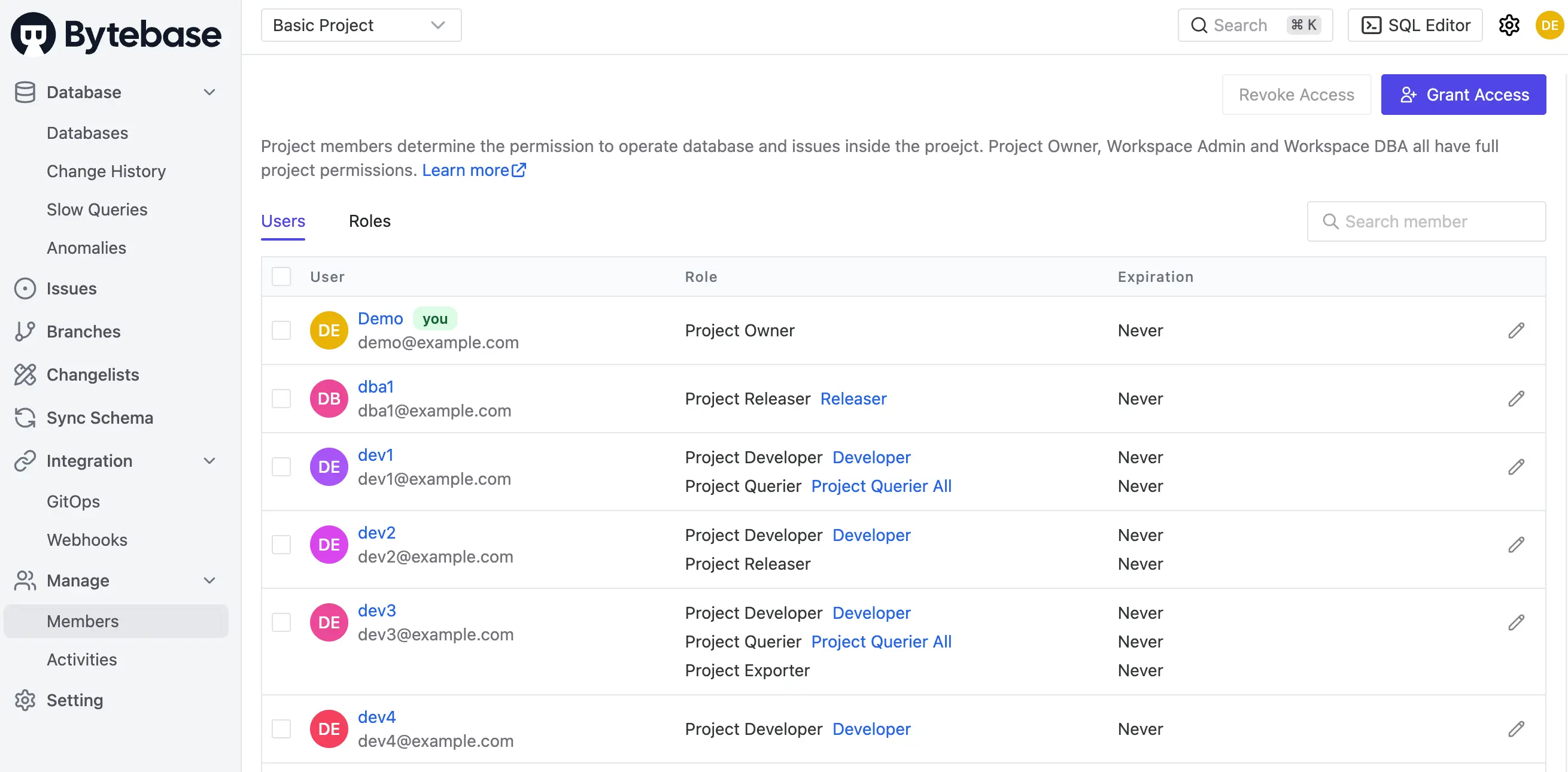
A role can be scoped down to specific databases, schemas, and tables, with an expiration after which Bytebase revokes it. On Enterprise, developers can instead request just-in-time access: a time-boxed grant, approved through the approval flow, that expires on its own.
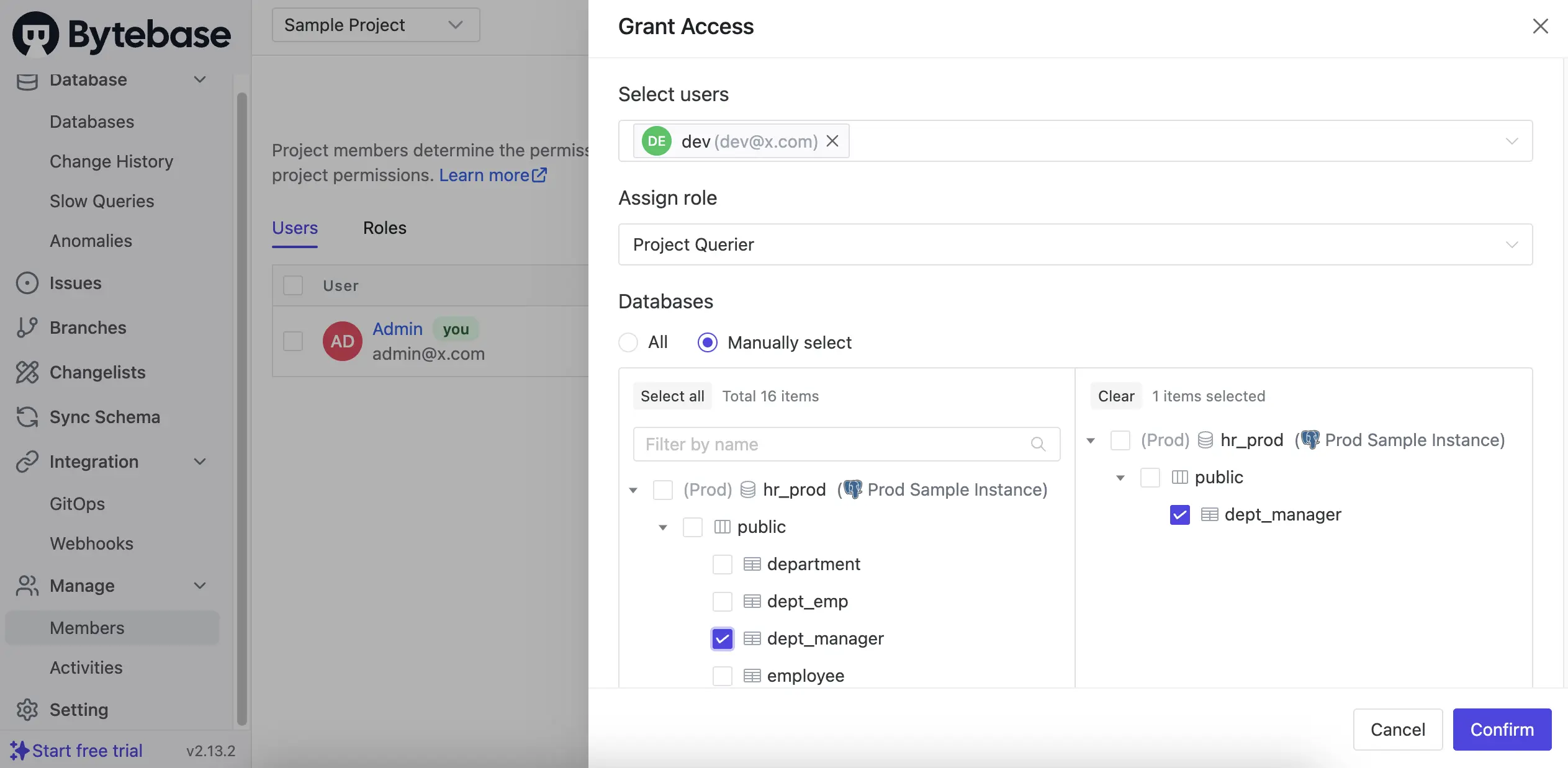
Different environments can enforce different policies, e.g. read-only on production, full access on development.
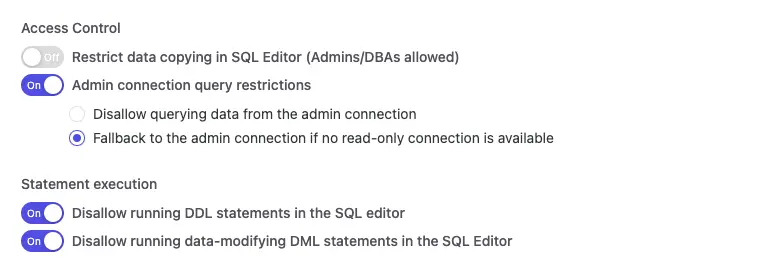
Summary: CloudBeaver controls who can open a connection; Bytebase controls what each person can do inside it, and for how long.
Data Masking
-
CloudBeaver: Not available. Query results return raw data.
-
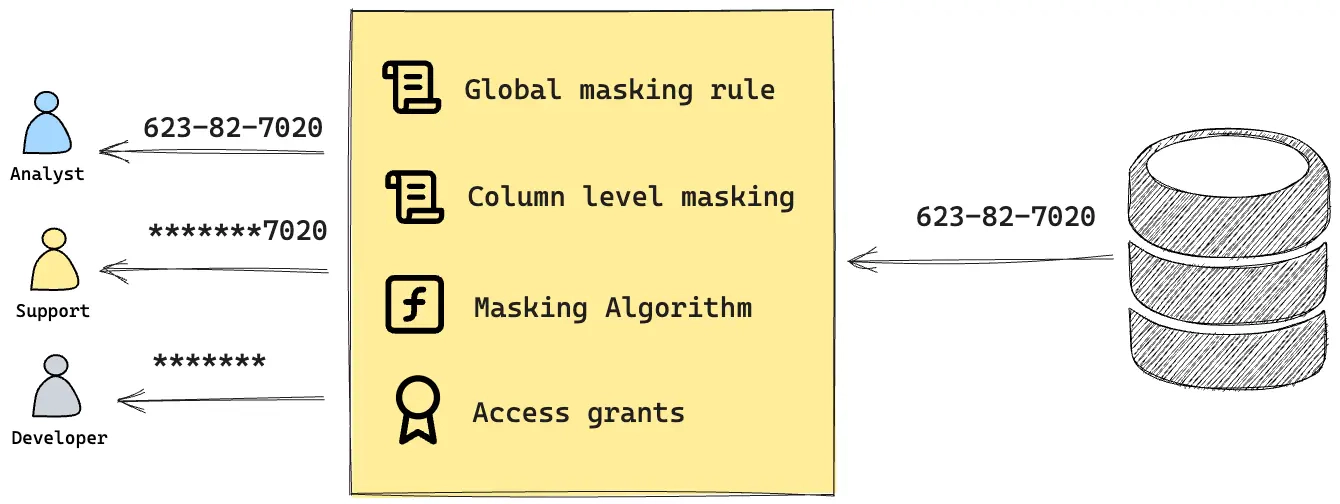
Bytebase: Dynamic data masking at the column level (Enterprise).
Workspace Admin,Workspace DBA, orProject Ownerconfigure masking per column and authorize specific users to see original values. Everyone else sees masked values in query results.Semantic types (email, phone, credit card, SSN) define reusable masking algorithms applied consistently across the schema.
Compare Schema
-
CloudBeaver: Not available. (Desktop DBeaver has schema compare in its Enterprise and Ultimate editions; CloudBeaver does not.)
-
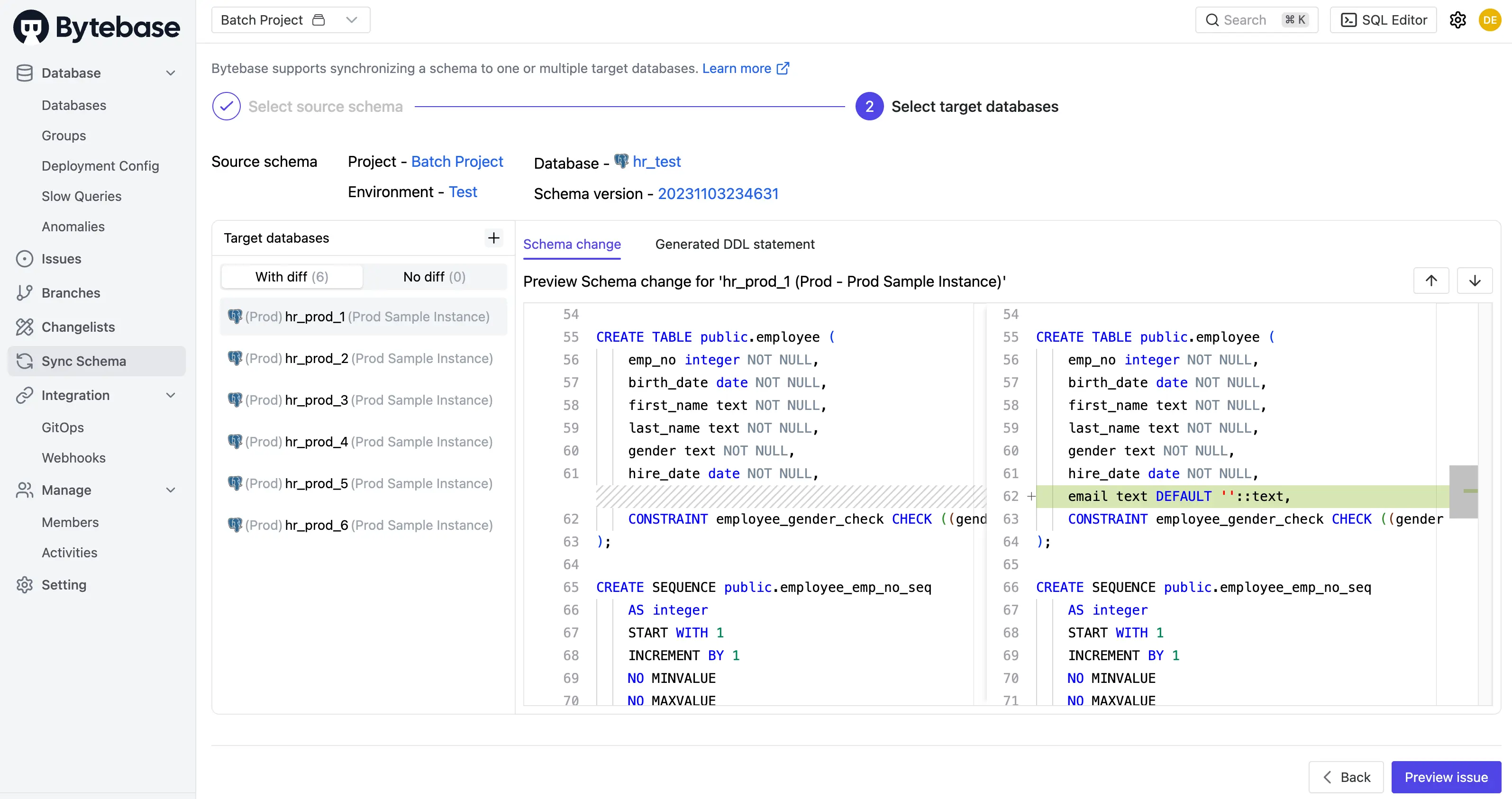
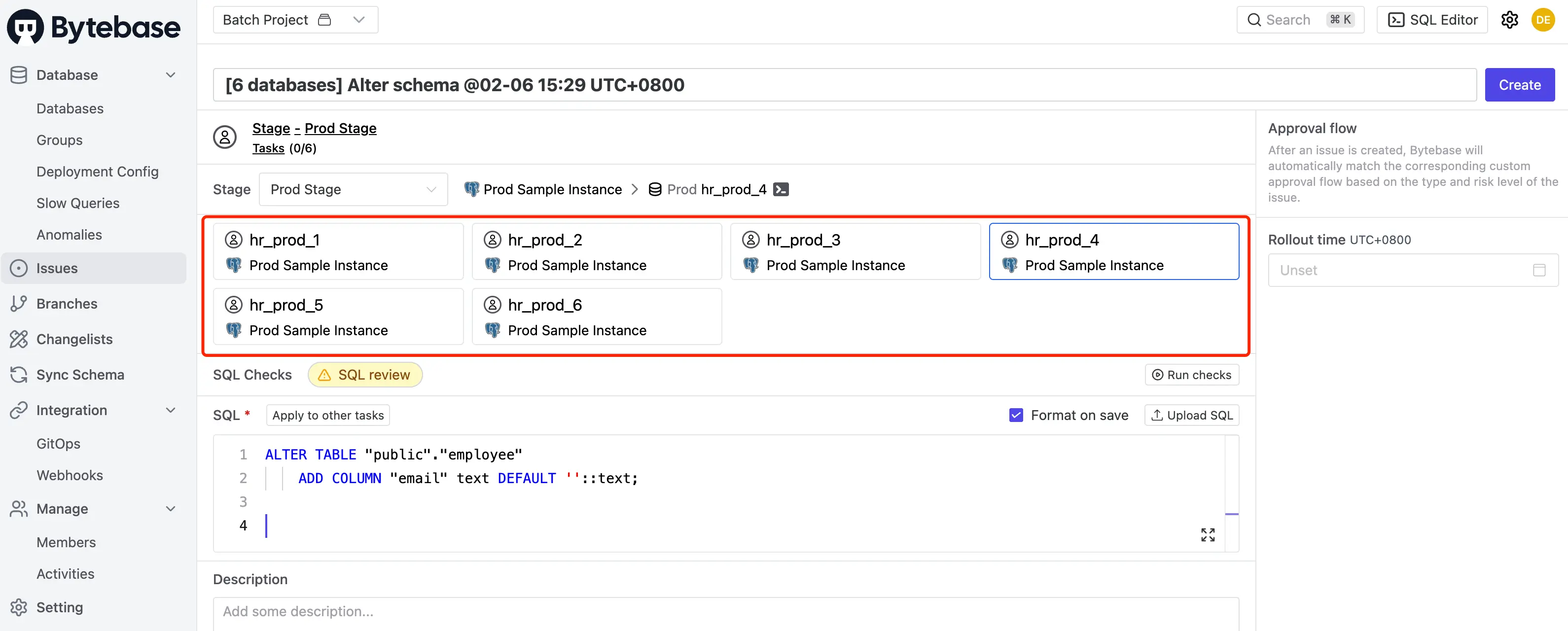
Bytebase: Schema sync is 1:N on all plans: pick one source database and compare against several targets at once. The generated DDL becomes a batch change that goes through SQL review, approval, and rollout.
Audit log
-
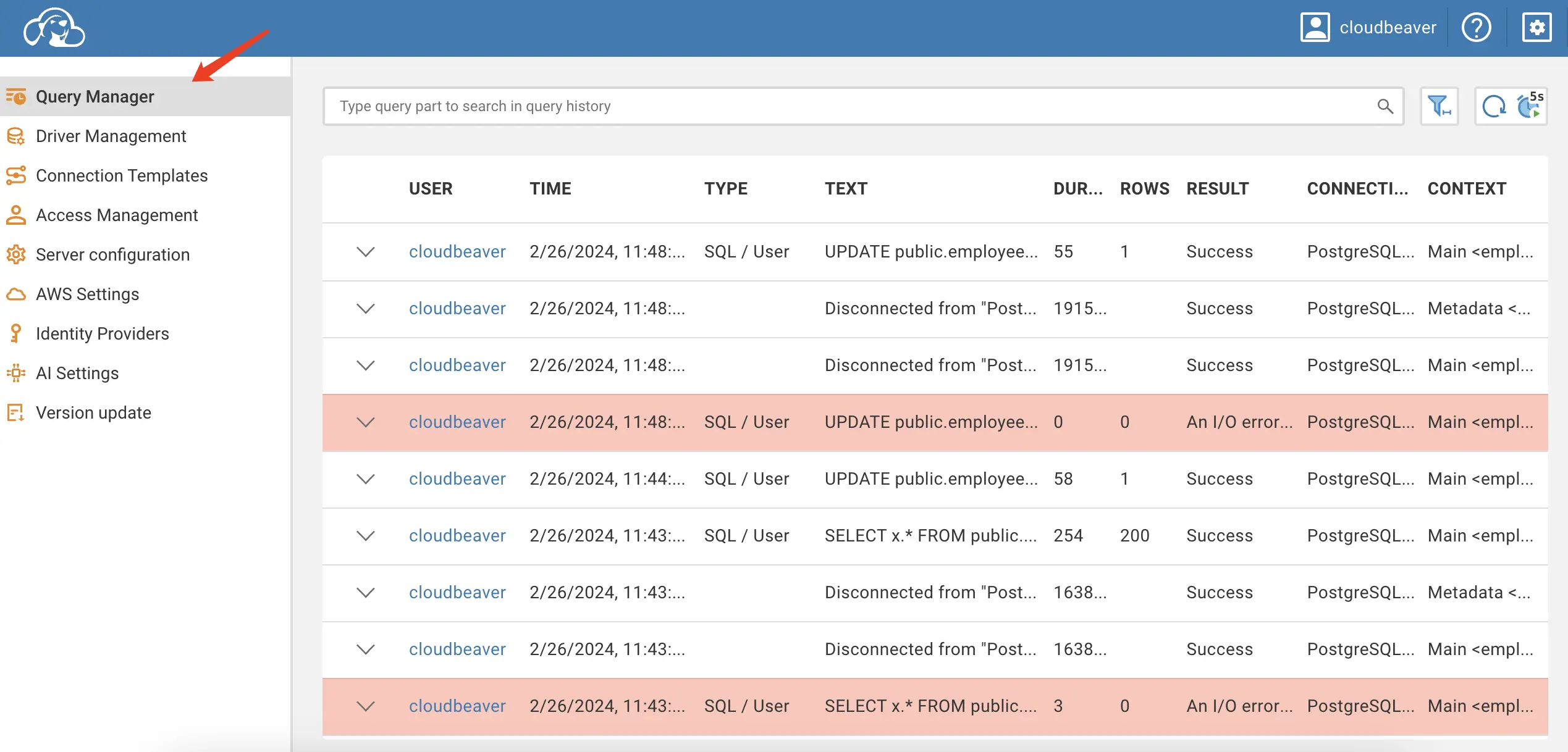
CloudBeaver: Two Enterprise features. Query Manager lists queries executed from CloudBeaver, including those run through its MCP server, with SQL text, duration, and affected rows. Since 26.0, the audit logging panel also records API activity: sign-ins, connection and project changes, SQL operations, and user and team management.
-
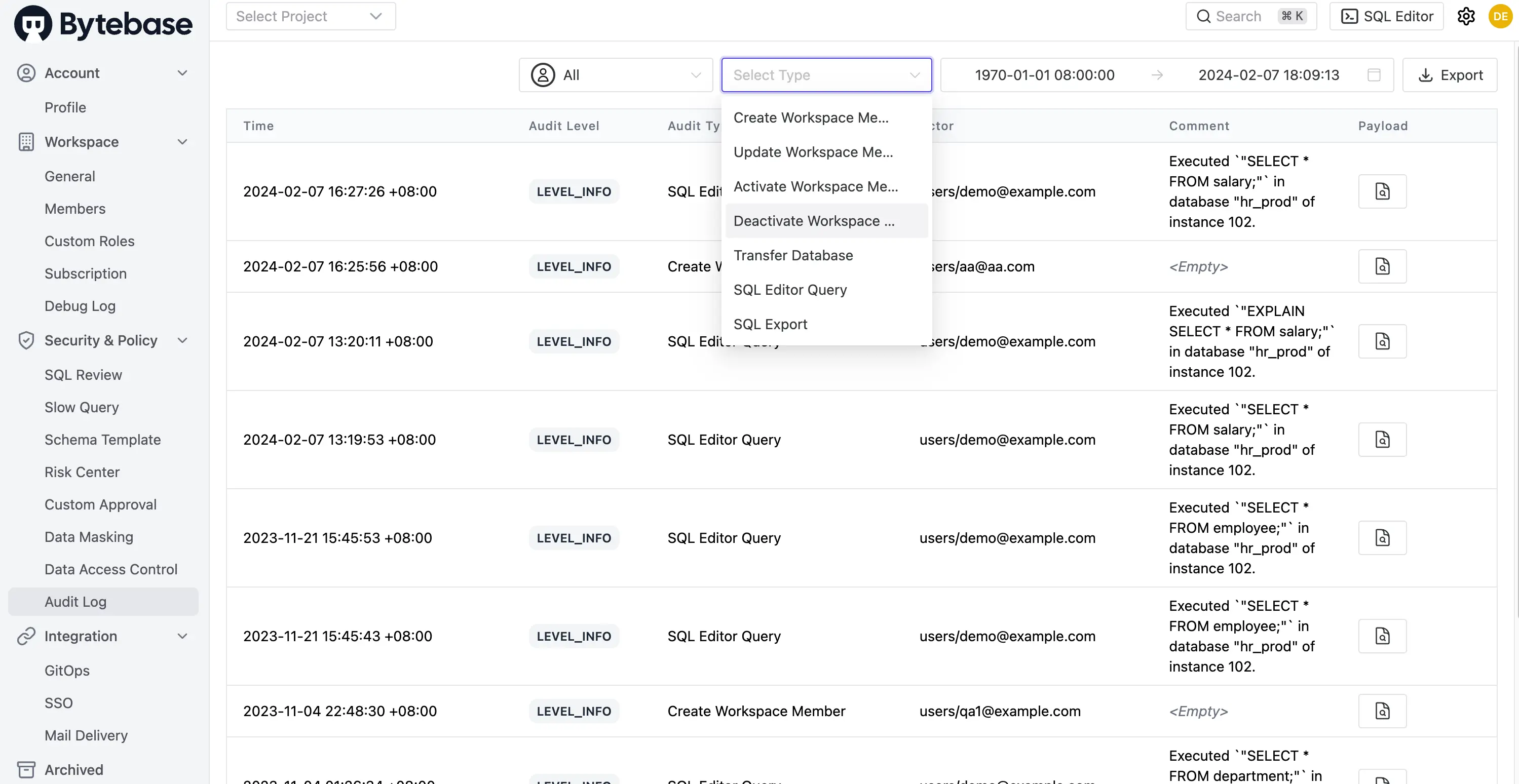
Bytebase: The audit log records every action in the platform: queries, schema and data changes, approvals, grants, and policy changes, each tied to a user, service account, or workload identity. Pro keeps 7 days; Enterprise keeps it without a limit. Filter by user, action, or time range, and export for your SIEM.
Summary: both now log what happened on Enterprise. Bytebase's log also carries who approved it, because the approval happened in the same system.
AI and MCP
-
CloudBeaver: AI Chat turns plain-language requests into SQL and can run them from the SQL Editor. It works with OpenAI and GitHub Copilot; Enterprise adds more providers, including Azure OpenAI, Gemini, and Claude. On Enterprise, CloudBeaver can run as a MCP server: an admin enables MCP per connection, and external AI clients query through that connection without holding the database credentials. Those queries show up in Query Manager.
-
Bytebase: The AI Assistant in SQL Editor handles text-to-SQL on all plans. The Bytebase MCP server is also on all plans: AI clients sign in with OAuth as the user, and every call is capped by that user's own permissions. A workspace access policy sets the ceiling for all MCP sessions: Disabled, Read-only (the default for new workspaces), or Read-write. No mode lets an MCP session change workspace settings, approve changes, or touch credentials.
Summary: both keep database credentials away from the agent. CloudBeaver scopes the agent by connection; Bytebase scopes it by the signed-in user's permissions plus a workspace-wide ceiling.
API
-
CloudBeaver: GraphQL API, with examples on GitHub.
-
Bytebase: gRPC and HTTP/REST APIs with an API reference, code samples, and a Terraform provider.
GitOps
-
CloudBeaver: No built-in GitOps. You could build one on the GraphQL API, but there's no out-of-the-box workflow.
-
Bytebase: GitOps with GitHub, GitLab, Bitbucket, and Azure DevOps. SQL files committed to a repo become releases that Bytebase rolls out, with SQL review running as a CI check. See the database-security example for a full setup.
Pricing
-
CloudBeaver: Community Edition is free and open source under Apache 2.0. CloudBeaver Enterprise is an annual per-server subscription with a 5-user minimum and a 14-day trial; CloudBeaver AWS and GCP editions deploy from the cloud marketplaces. Enterprise adds NoSQL and cloud drivers, SSO (SAML, LDAP), Query Manager, audit logging, global permissions, and the MCP server. See CloudBeaver Enterprise for current prices.
-
Bytebase: Community is free and self-hosted for up to 20 users and 10 instances, and includes SQL review, schema sync, GitOps, batch changes, the AI Assistant, and the MCP server. Pro runs on Bytebase Cloud and adds Google/GitHub SSO, user groups, batch query, and a 7-day audit log. Enterprise is self-hosted and adds custom approval flows, dynamic data masking, just-in-time access, custom roles, OIDC/LDAP SSO, SCIM, 2FA, and an unlimited audit log. See pricing for current numbers.
When to Choose CloudBeaver
- You want a browser-based SQL client your team can share without installing desktop software.
- Your workflow is mostly query and edit, and review, approval, and masking aren't priorities.
- You need JDBC breadth for less common databases.
- You already use DBeaver and want the web equivalent.
When to Choose Bytebase
- You want change review, access control, data masking, and audit logging in one platform, not just a web SQL client.
- Developers write changes and DBAs or platform engineers review and deploy them.
- You need compliance evidence (approval trails, audit logs, masking) for SOC 2, GDPR, or internal policy.
- You're letting AI agents reach production databases and want each agent capped by the permissions of the person behind it.
FAQ
Can I use CloudBeaver and Bytebase together?
Yes. Some teams keep CloudBeaver as a general web SQL client for ad-hoc querying across many databases, and use Bytebase as the governance layer: any change that ships to production goes through Bytebase's review and approval.
Isn't CloudBeaver just "DBeaver in a browser"?
Mostly. CloudBeaver shares DBeaver's JDBC driver foundation and much of its UI. The value over DBeaver is that it runs on a shared server and everyone signs in through a browser. The tradeoff is that some desktop features, such as schema compare, are missing or lighter in CloudBeaver.
Does Bytebase have everything CloudBeaver has?
For everyday team querying, yes: SQL Editor, schema browser, export, and saved scripts. What Bytebase doesn't chase is driver breadth (25 engines against CloudBeaver's JDBC catalog). It goes deeper on the engines it supports, with review rules, schema sync, and masking.
Is Bytebase Community actually usable for production?
Yes. Community includes the full GUI, 200+ SQL review rules, GitOps, multi-environment rollouts, and batch changes, the same core workflow as the paid plans. The limits are 20 users and 10 instances. You upgrade when you need SSO and the audit log (Pro), or approval flows, masking, and just-in-time access (Enterprise).